 Pace


Leaderboard and Lap Challenge: put your lap on the world ranking and challenge a friend
Your best lap goes onto the Pacedex world ranking on its own. There you see where you stand, open the lap of anyone faster and send a friend a link: “beat this”. One step at a time, with the real screen at every step. In the pictures, the yellow outline shows where to click.
- Pacedex installed and receiving the game's telemetry. Not yet? Start with your first race.
- Internet on the PC when the session ends.
- For the challenge: a friend with Pacedex (it's free) and the same game.
How your lap gets on the ranking
You don't click anything: when the session ends, Pacedex sends your best lap along with its telemetry.
Drive with Pacedex open
Races, qualifying, practice and time trial all count. At the chequered flag (or when you leave the session), your best valid lap goes up by itself.
- Valid lap: no track-limit cuts. A lap the game invalidates doesn't count.
- With telemetry: the ranking only takes a time that comes with the lap's trace. It's the proof the lap happened.
- Your name: your in-game gamertag. Your e-mail never shows.
Check the switch: Settings → Account & privacy
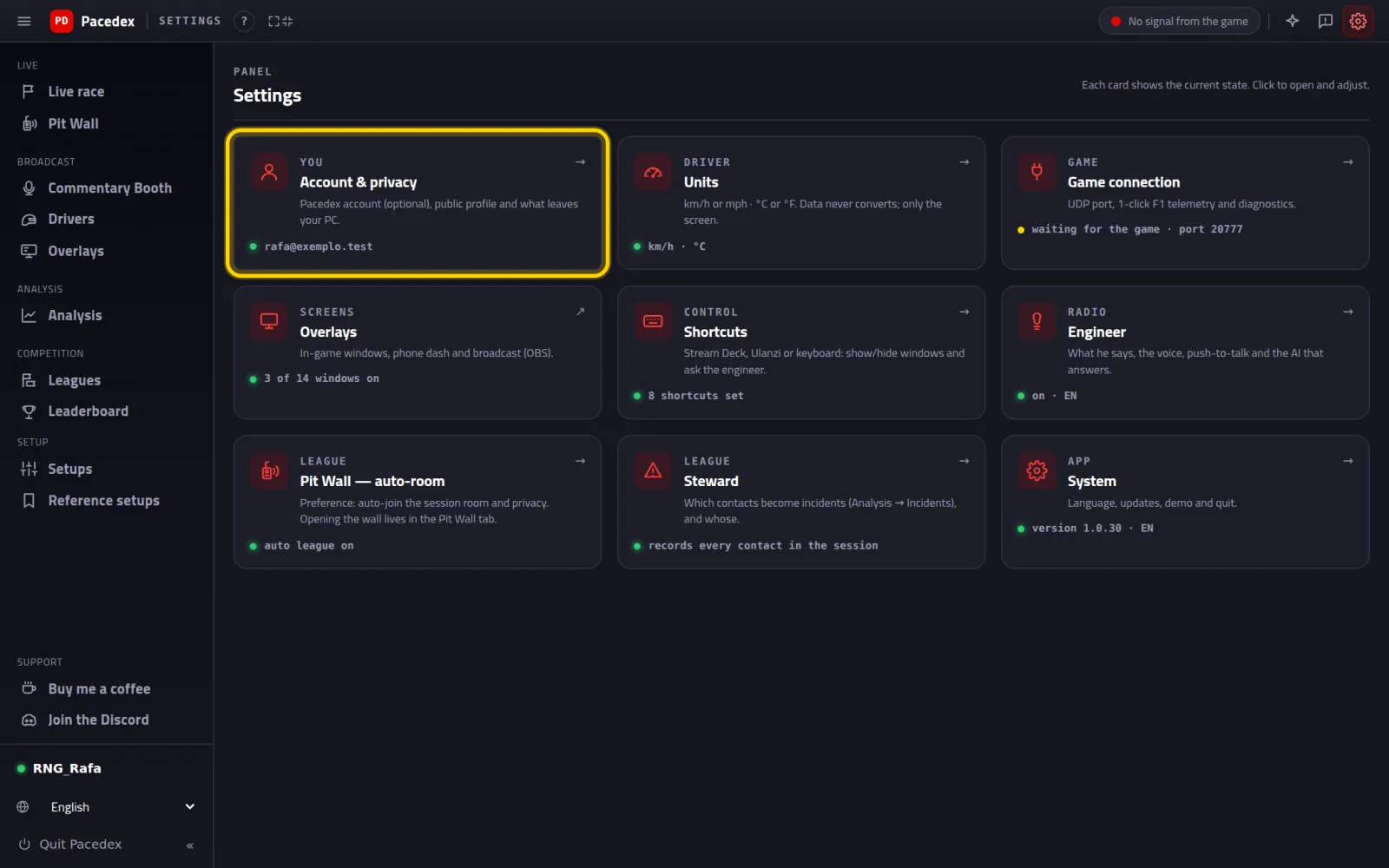
Under Privacy & data, keep Share best-lap telemetry on
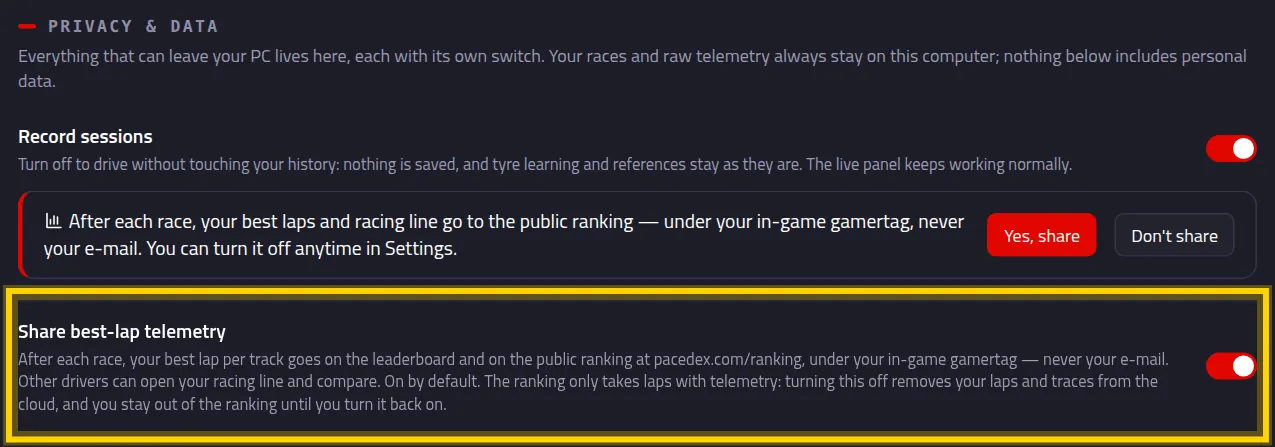
It's on out of the box. Turned off, your laps and traces leave the cloud and you're off the ranking until you turn it back on.
The first time you open the Leaderboard, click Yes, share
It's just a heads-up about what goes on the public ranking.

See the leaderboard
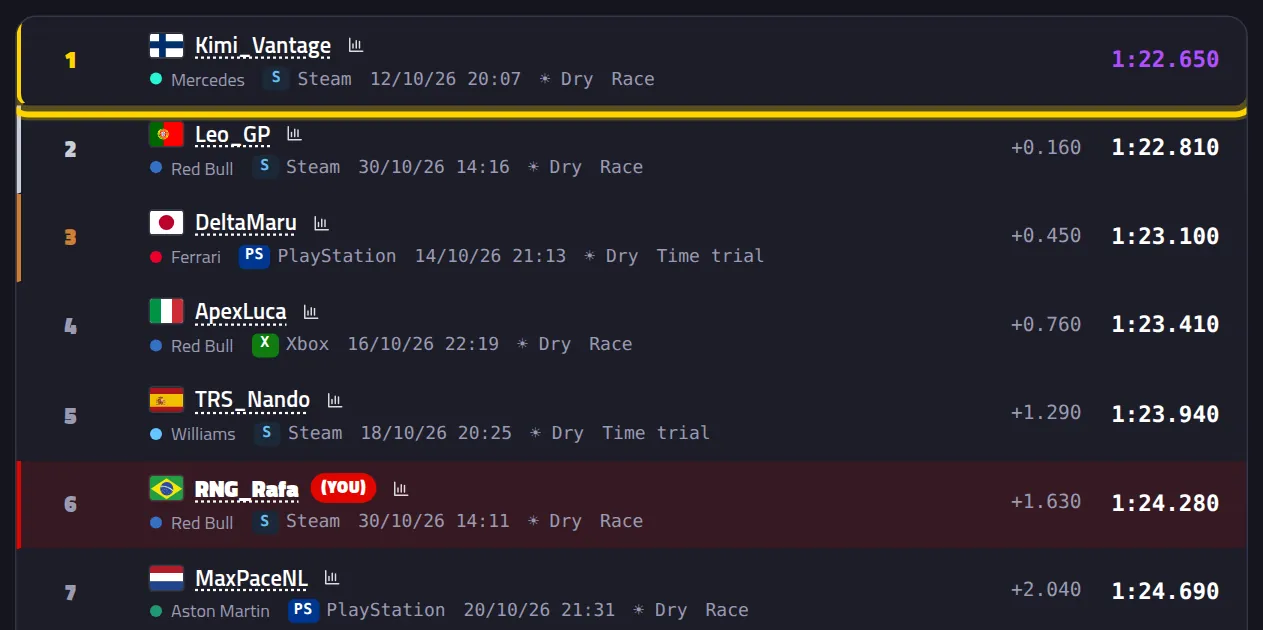
A timing tower per track, just like on TV, with every Pacedex driver.
In the left menu, under Competition, click Leaderboard
Menu shows icons only? Click the ≡ at the top left to see the names.
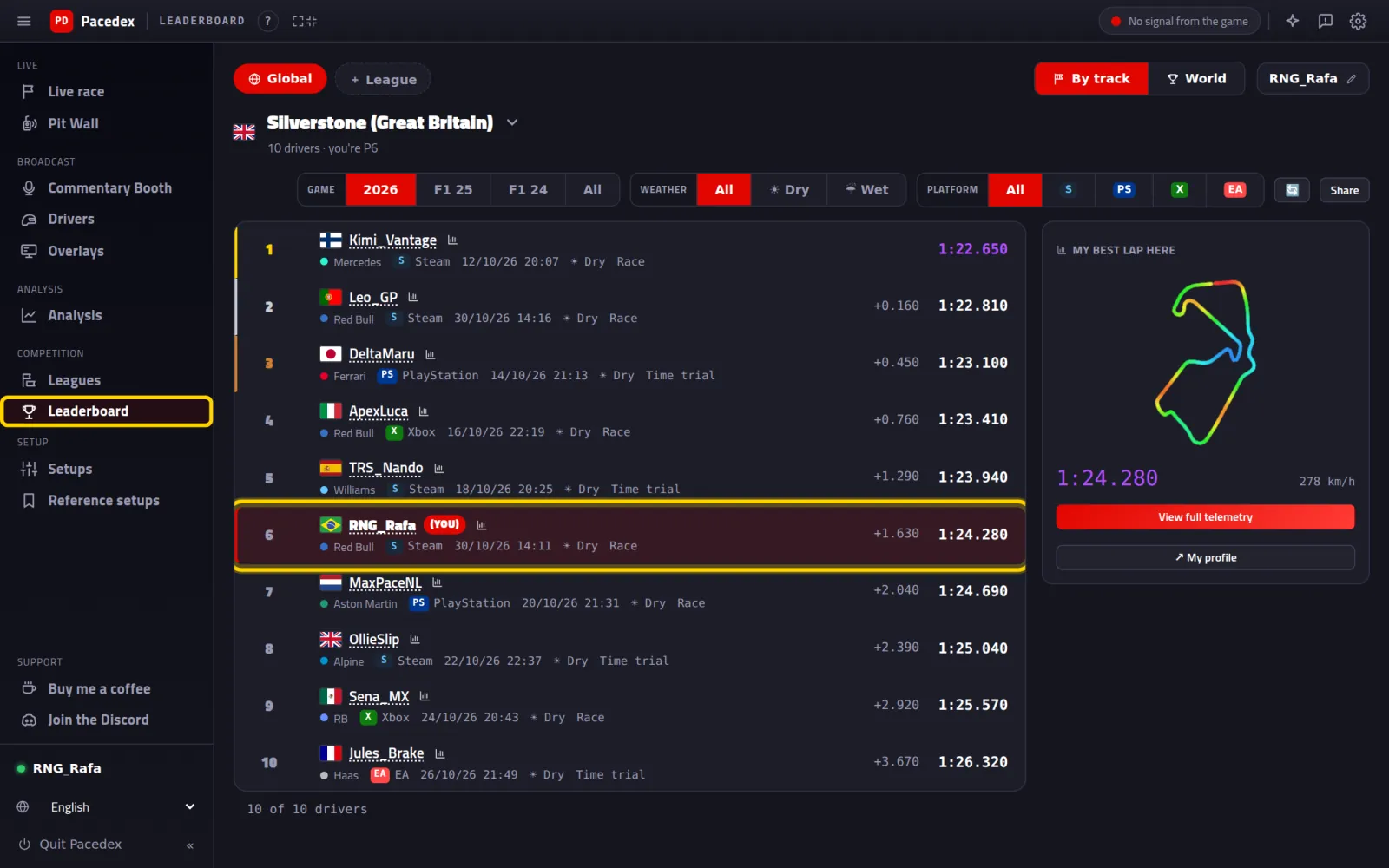
Your row is tagged (you). Under the track name: how many drivers, and your position.
Switch track and filters
Click the track name to pick another (yours come first). Next to it: Game (2026, F1 25, F1 24), Weather (Dry or Wet) and Platform.

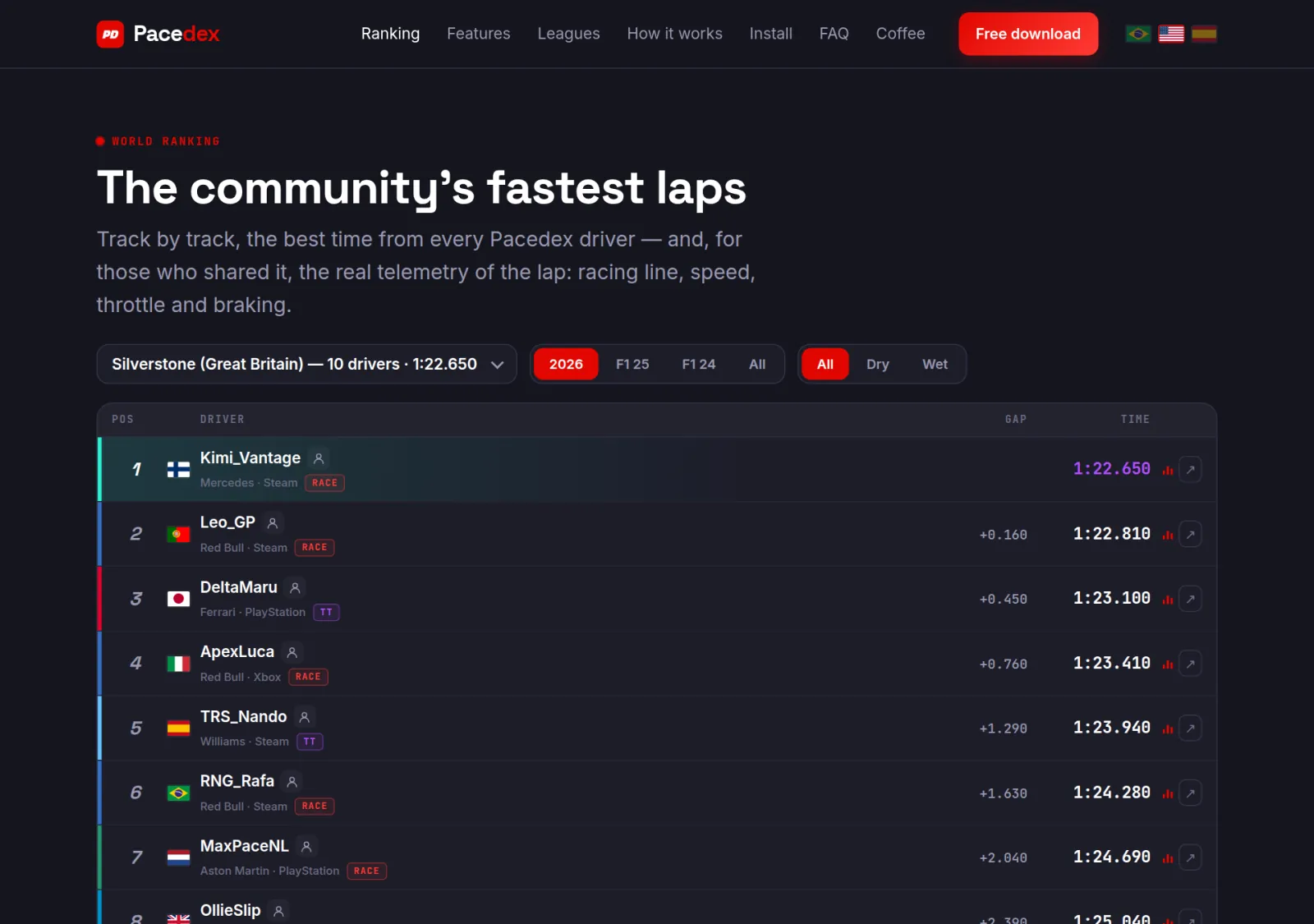
Or open it in a browser: pacedex.com/ranking
The same ranking, open to anyone, nothing to install. Handy for friends who don't have the app yet.
Open the lap of someone faster
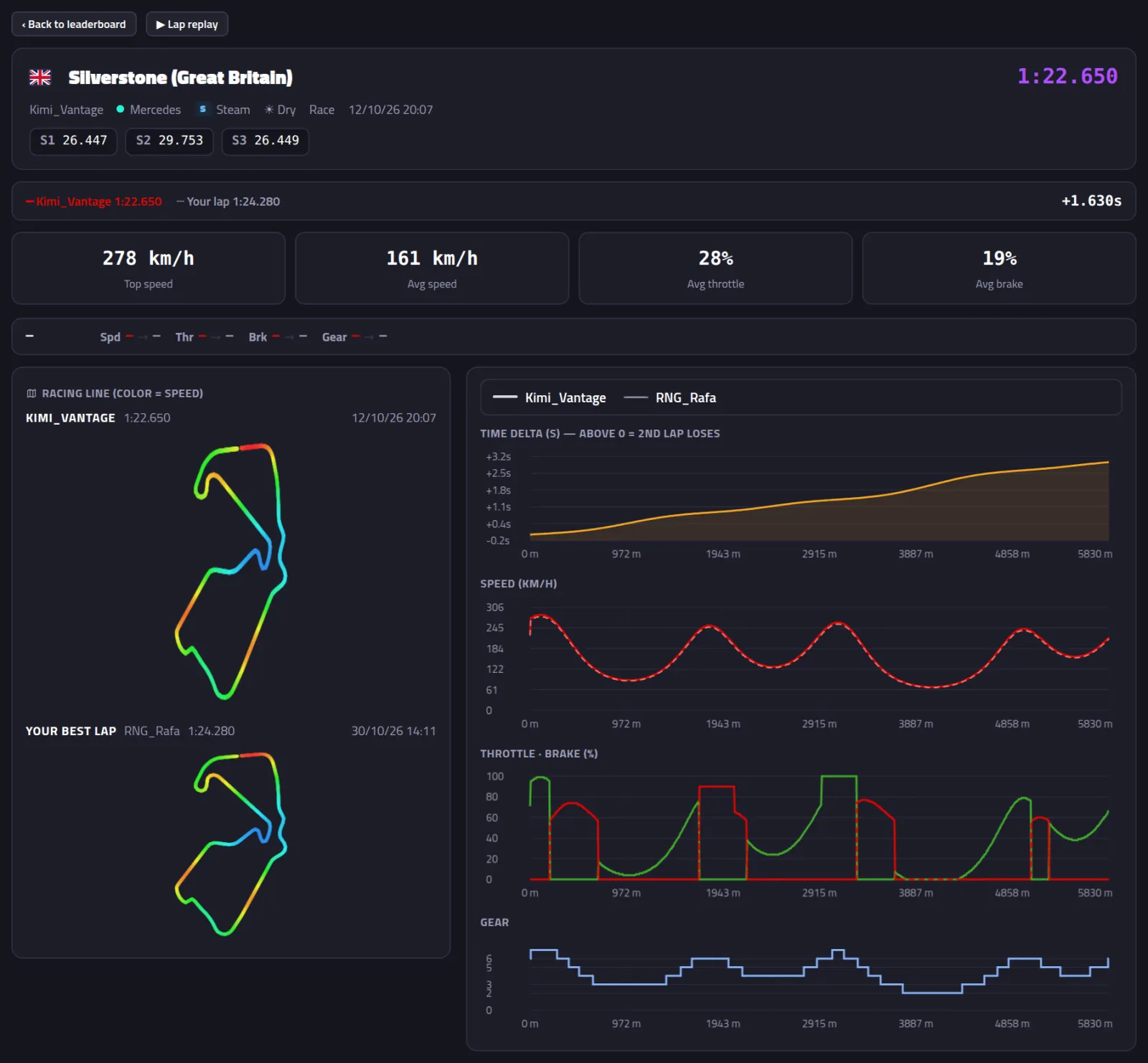
Every lap on the ranking carries its telemetry. See where they brake, how they get on the throttle and where you lose out.
Click a driver's row
Compare it with yours
The solid line is their lap. The dashed one is yours. The number on the right is how far behind you are. Hover over the chart: the map shows that point of the track.
Click ▶ Lap replay
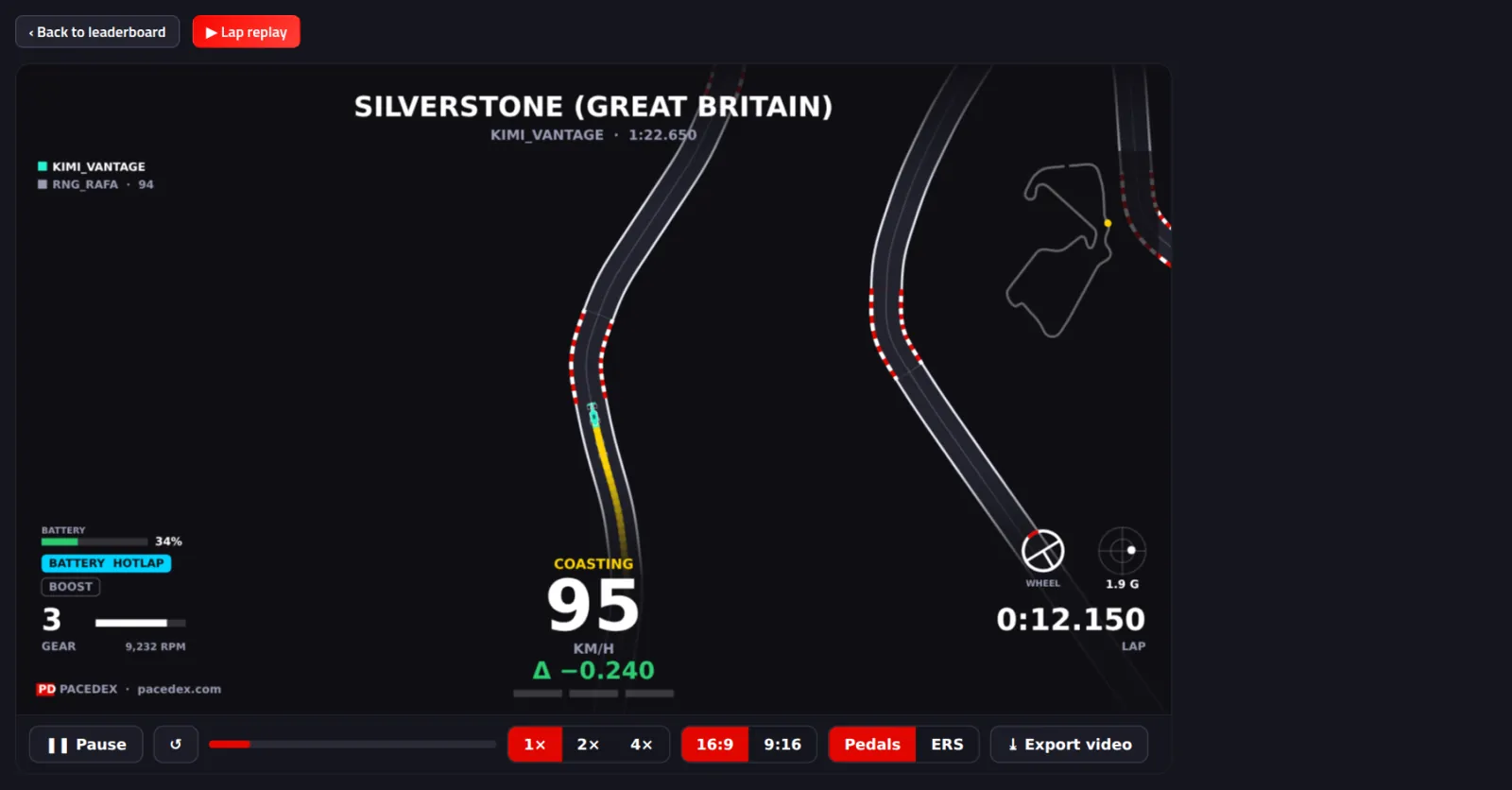
Both cars run together on track, and the gap opens and closes live. You can save it as a video.
Challenge a friend
You send a link. They see your lap and try to beat it.
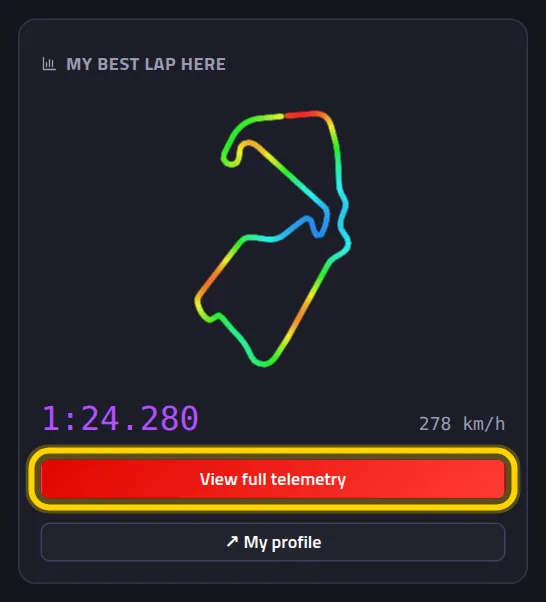
Go back to the leaderboard and click View full telemetry
It's on the My best lap here card, to the right of the tower. (Or click your own row.)
Click ⚔ Challenge

Challenge created pops up. The ready-made line is already copied.
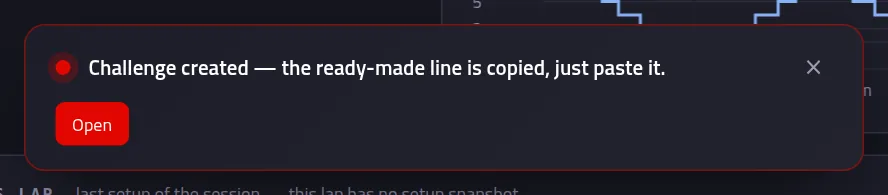
Paste it in your WhatsApp or Discord group
It reads like this: I challenge you at Silverstone (Great Britain) — beat 1:24.280. https://pacedex.com/x/…
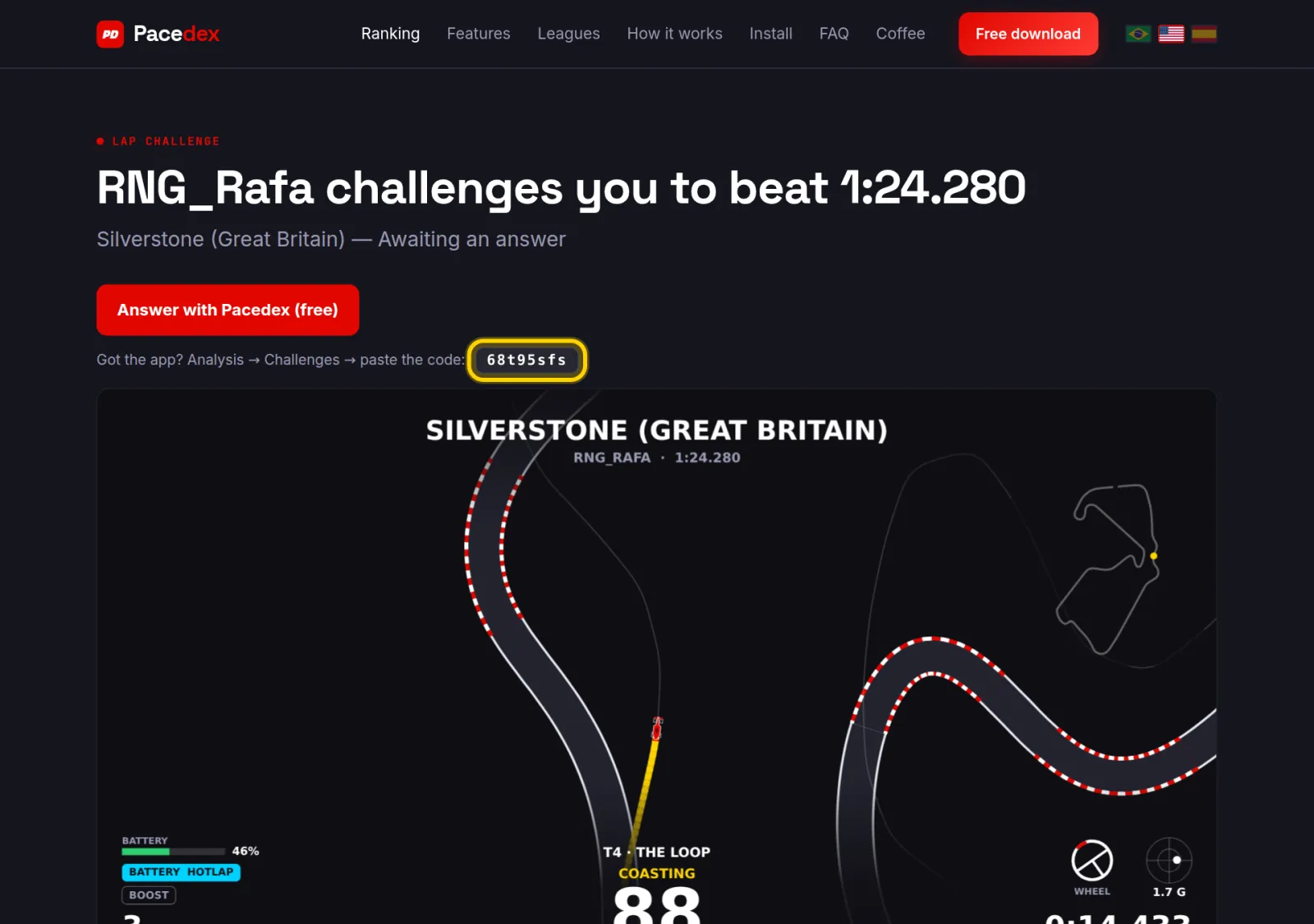
Your friend opens the link
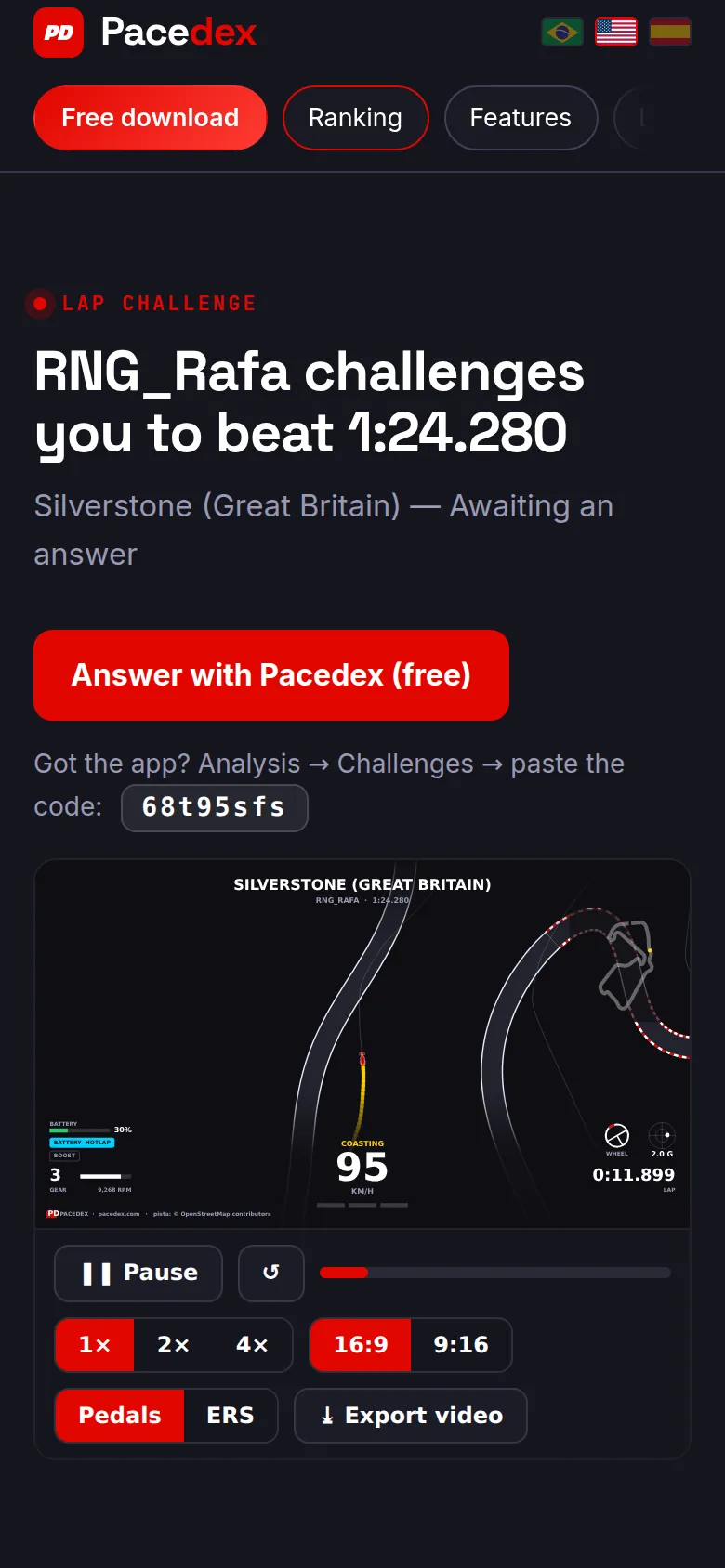
On phone or PC, nothing to install: your time and your lap running in the replay. Below, the button to install Pacedex and the challenge code.
On a phone:
Your friend answers
This part happens on your friend's PC. Send it to them.
Drive the same track, in the same weather
Dry against dry, wet against wet. With Pacedex open, as always.
In the menu, click Analysis. Then the Challenges card
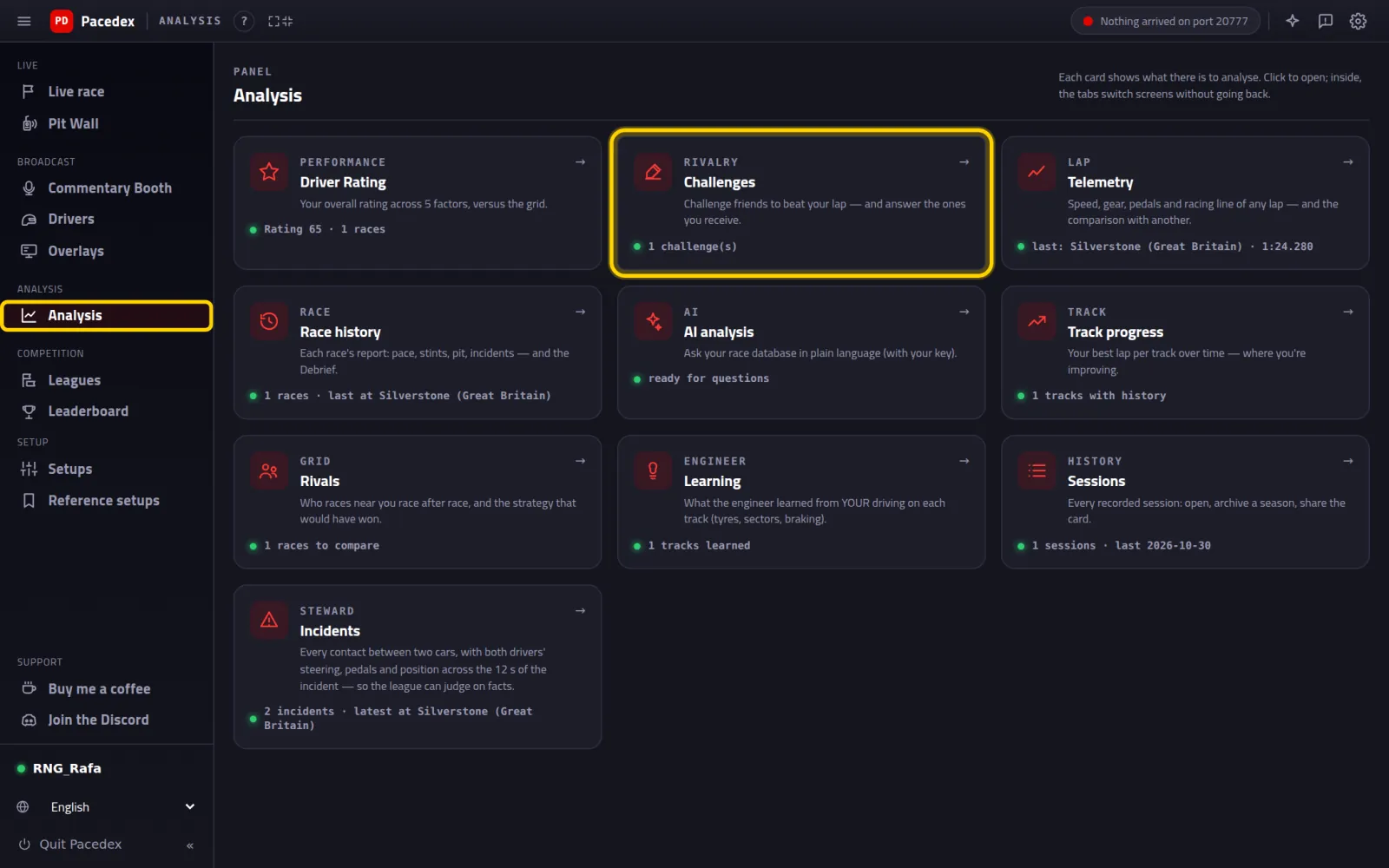
Paste the link (or the code) and click Arm target

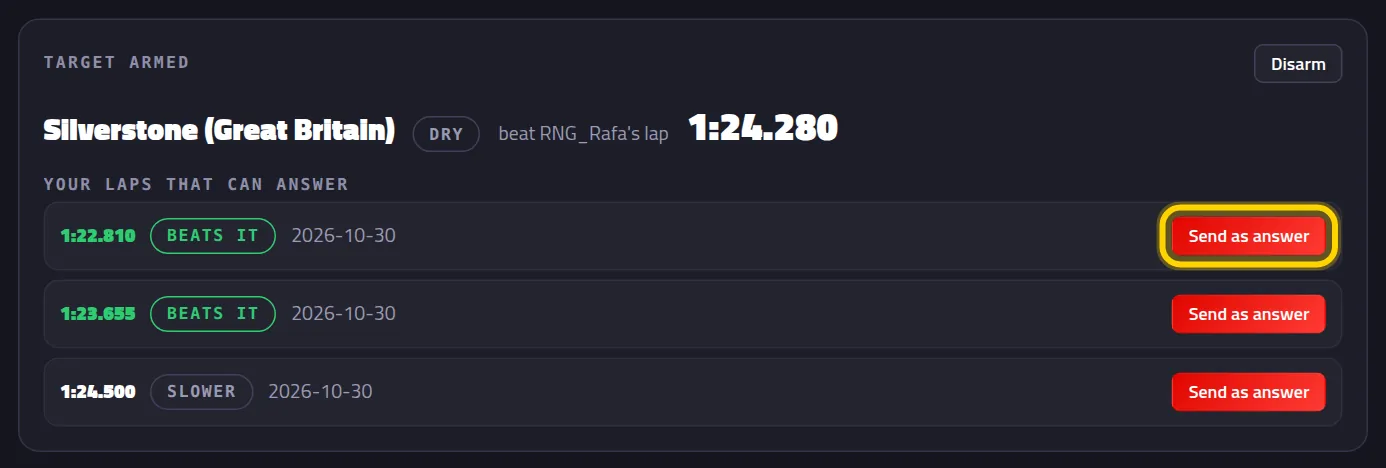
Pick the lap and click Send as answer
Under Your laps that can answer come their best laps on that track. BEATS IT means it's faster than yours.
Done: the result is in

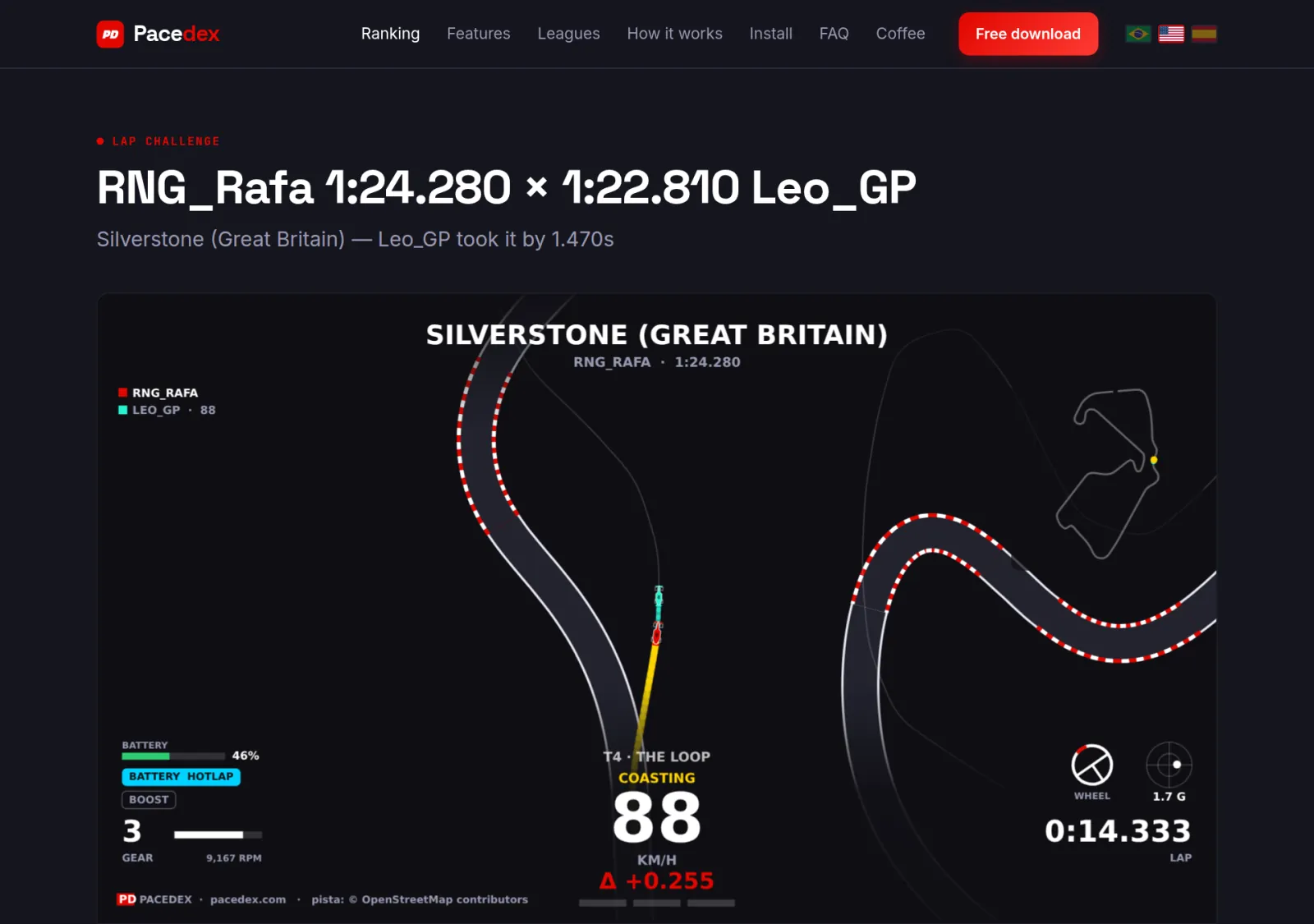
Under My challenges: WIN or loss, for both of you. The same link now shows the duel: both laps in the replay and who took it.
Your public profile
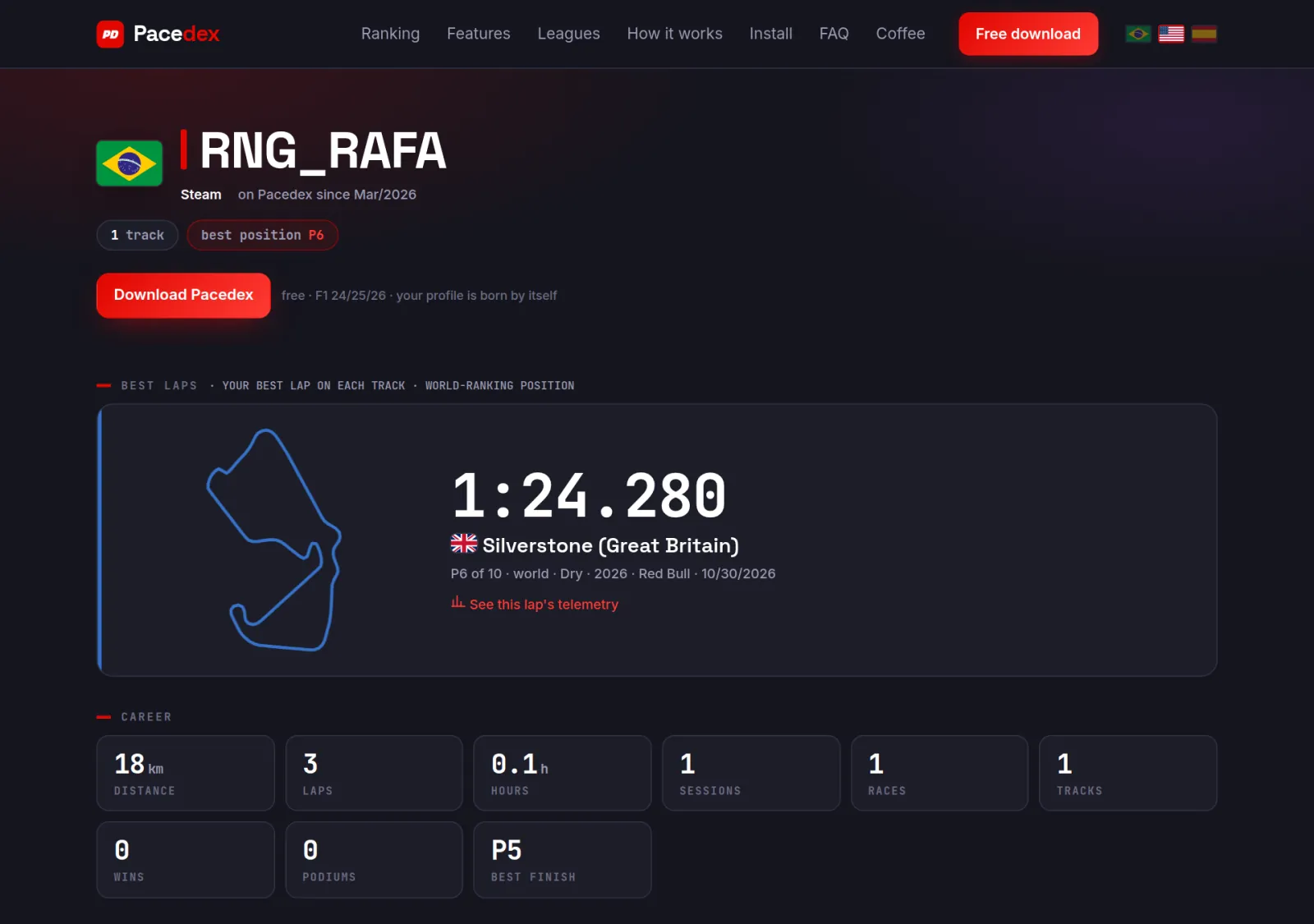
Everyone on the ranking gets their own page at pacedex.com/p/…: your gamertag, your flag and your best laps, track by track. On the leaderboard, your name links to it. To see the link, or switch the page off: Settings → Account & privacy → My public profile.
Click View as the public sees it
Something went wrong?
- My lap isn't on the leaderboard: check, in this order. Is Share best-lap telemetry on? Did the PC have internet when the session ended? Was the lap valid (no track-limit cut)? Is the Game filter on the game you drove? Click 🔄 to refresh.
- It says “Your laps are out of the ranking”: the switch is off. Click Turn on and join the ranking.
- It says “Sign in to compare”: Pacedex couldn't create your account (no internet, or the account was deleted recently). Click Go to Settings and sign in with your e-mail.
- What doesn't count: races you only watched (spectator), the demo, and F1 23.
- ⚔ Challenge gave an error: it needs internet and a lap with telemetry. If it asks you to turn on the profile, turn on Public profile under Settings → Account & privacy.
- “Code not found”: the link got cut, the challenge is over 90 days old, or the sender deleted it. Ask for the link again.
- “No valid lap on this track/condition yet”: your friend hasn't driven that track yet, or drove it in different weather. Dry answers dry; wet answers wet.
- “That challenge was already answered”: each challenge takes one answer. Ask for a new one.
Still stuck? Drop a screenshot in our Discord and we'll help.