 Pace


After the race: understand what happened and what to change
The flag is out. Now Pacedex tells you where the time went, which corners the fastest drivers beat you in and what to change on the car. One step at a time, with the real screen at every step. In the pictures, the yellow outline shows where to click.
- Pacedex installed and receiving the game's telemetry. Not yet? Start with your first race.
- A finished race (or practice session) with at least 3 laps of your own.
Open the Debrief
The Debrief is your race report. Pacedex writes it by itself the moment the chequered flag falls.
Finish the race and look at the dashboard
At the bottom of the screen, in the middle, you get Race finished!

Click Open the Debrief
The Debrief opens: the track, where you finished (Finish) and where you started.
Read the Debrief
Read it top to bottom. Each part answers one question.
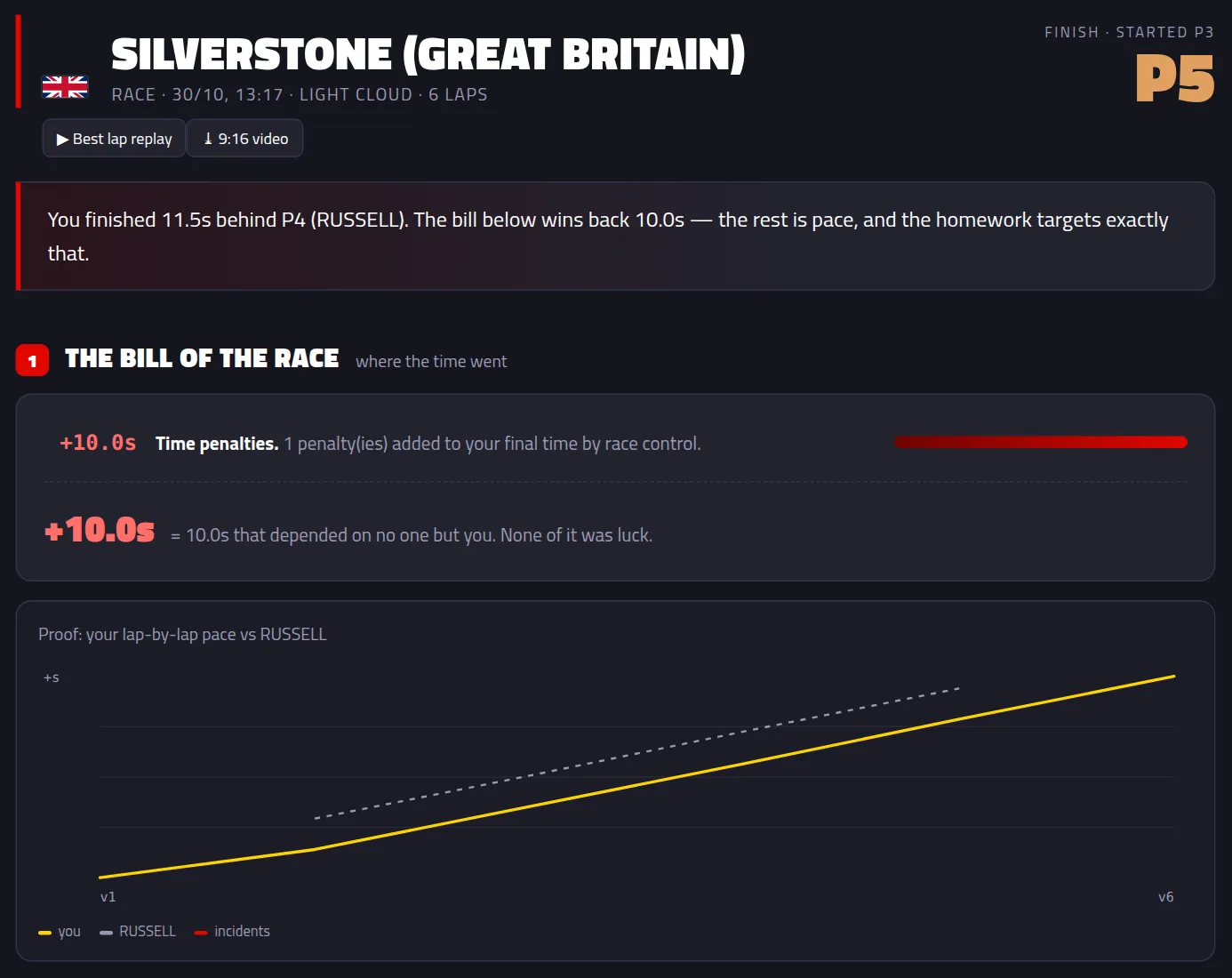
Read the line at the top and The bill of the race
The line tells you how far you were from the next place up. The bill shows where the time went: penalties, the start, pit stops. The chart below is your lap-by-lap pace against the car ahead.
Check your Homework
These are the parts of the track where you lose the most, what each one is worth per lap and what to do about it. The little map shows where it is.
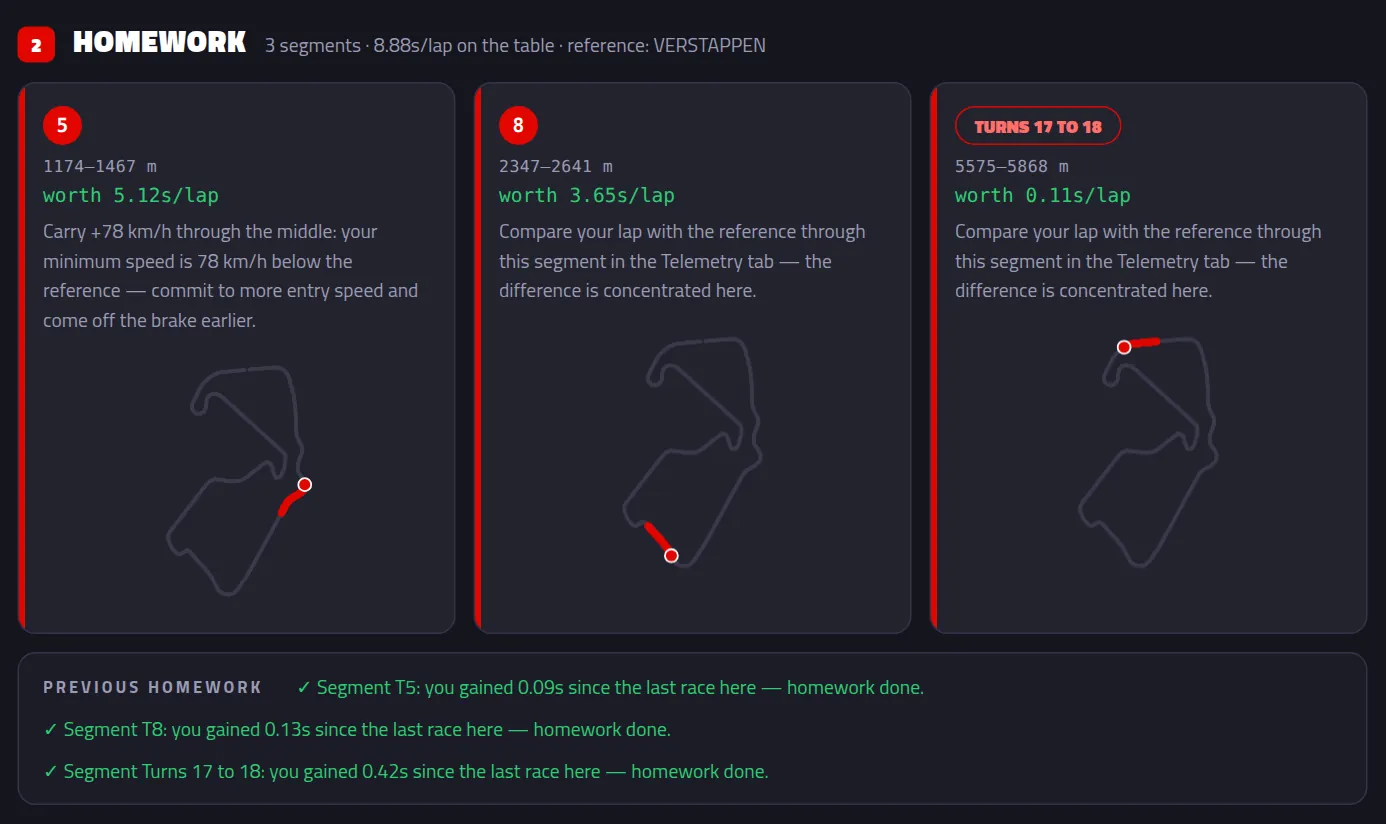
Next time you race the same track, Previous homework tells you whether you nailed it.
Read Setup vs Driving
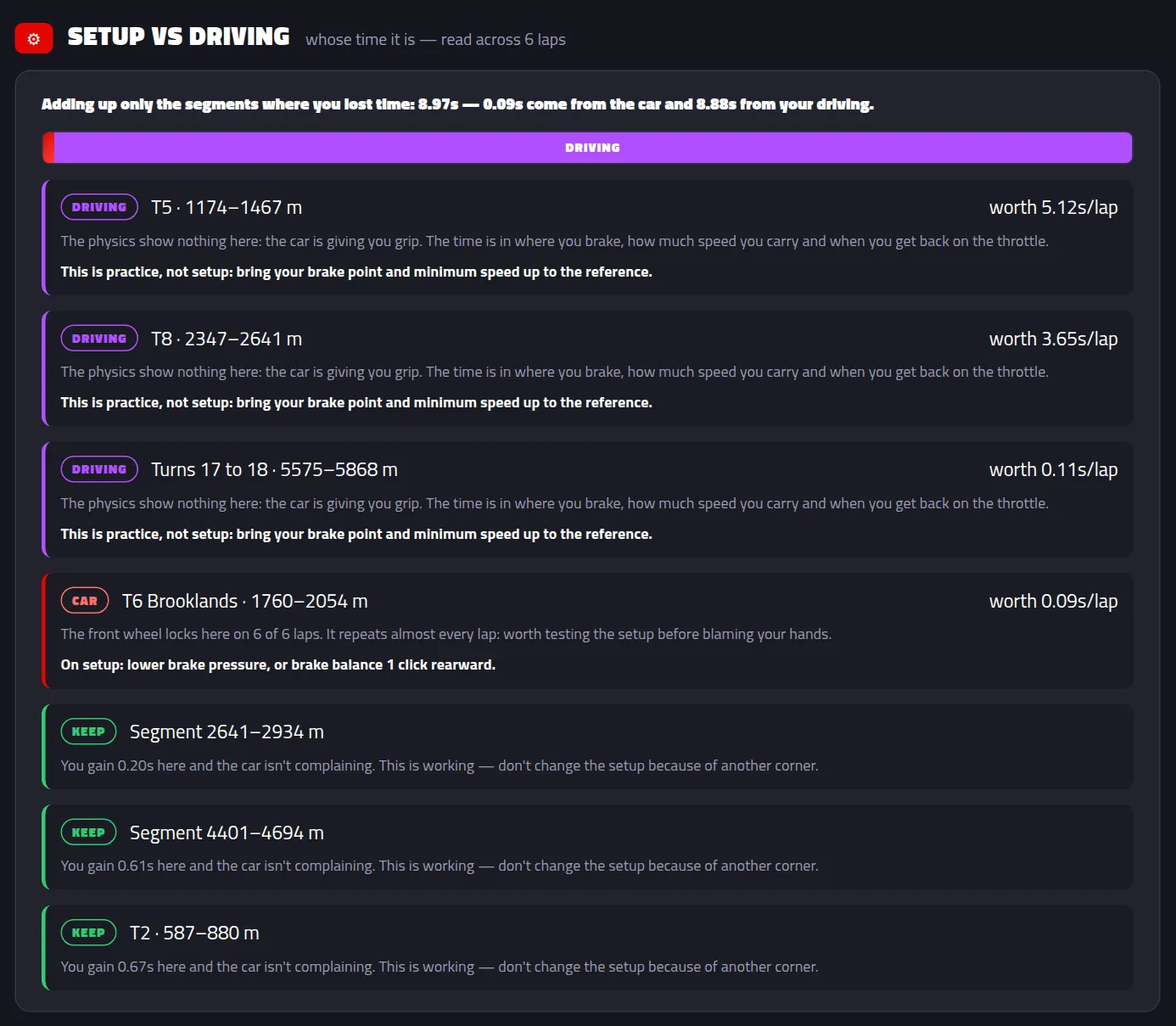
The bar splits the time you lost into CAR (that's the setup) and DRIVING (that's you). Each segment says whose it is and what to do. The KEEP ones are working: don't change the setup because of them.
Scroll to the end
Depending on the race, more parts show up:
- What if…? — did you pit? It redoes the maths with an earlier or later stop.
- Track limits — which corner your wheels go wide in and turn into warnings.
- Energy — under the 2026 rules, how much you harvested each lap.
- Overtakes — who you passed, who passed you, and on which lap.
- Final classification — the full race results.
Find an older race
Every race is saved on your PC. So is its Debrief.
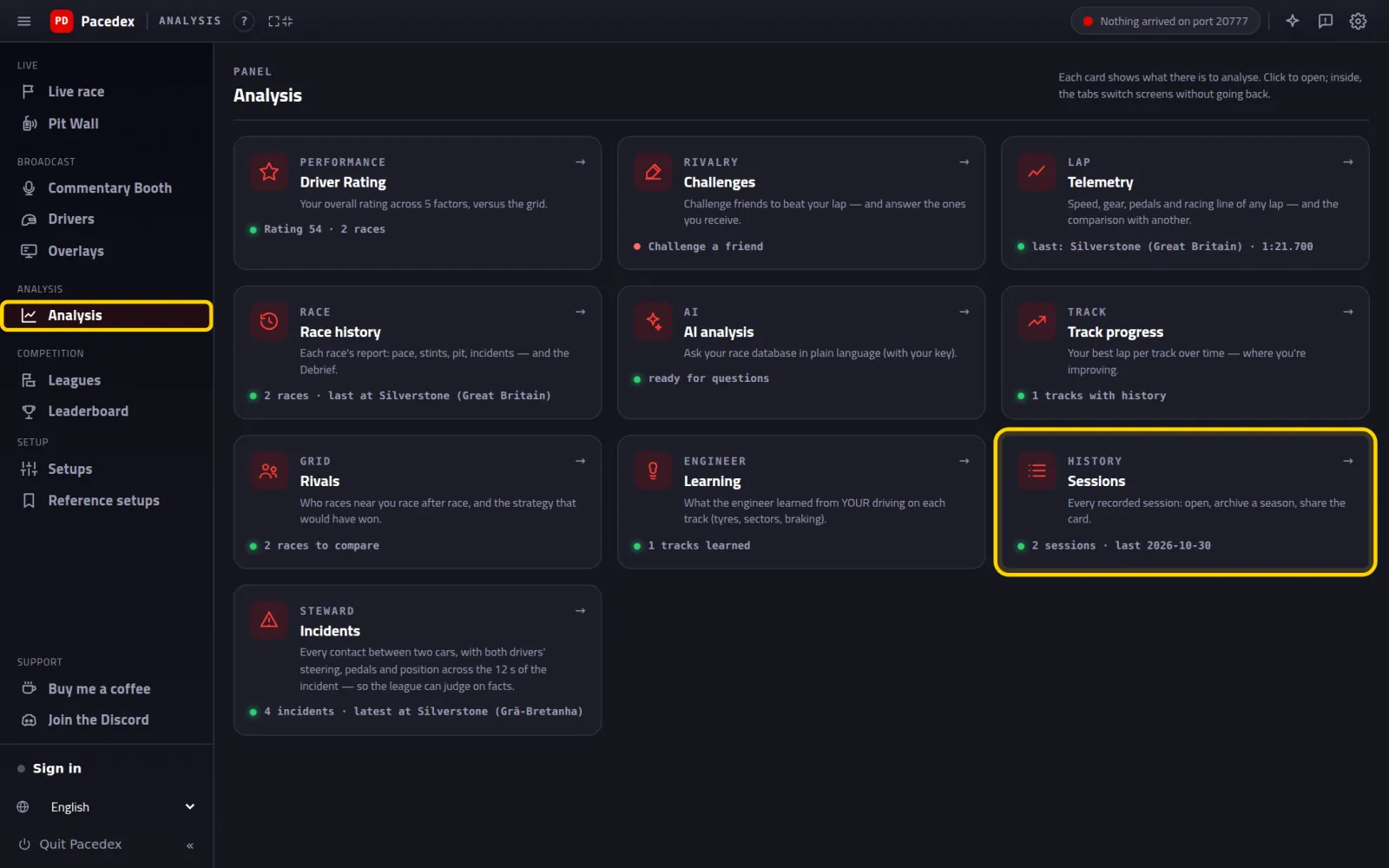
In the left menu, click Analysis. Then the Sessions card
Menu showing only icons? Click the ≡ in the top-left corner to see the names.
Click the race's row
The latest one is at the top. Each row shows the track, the date, the weather, the laps and your best lap.
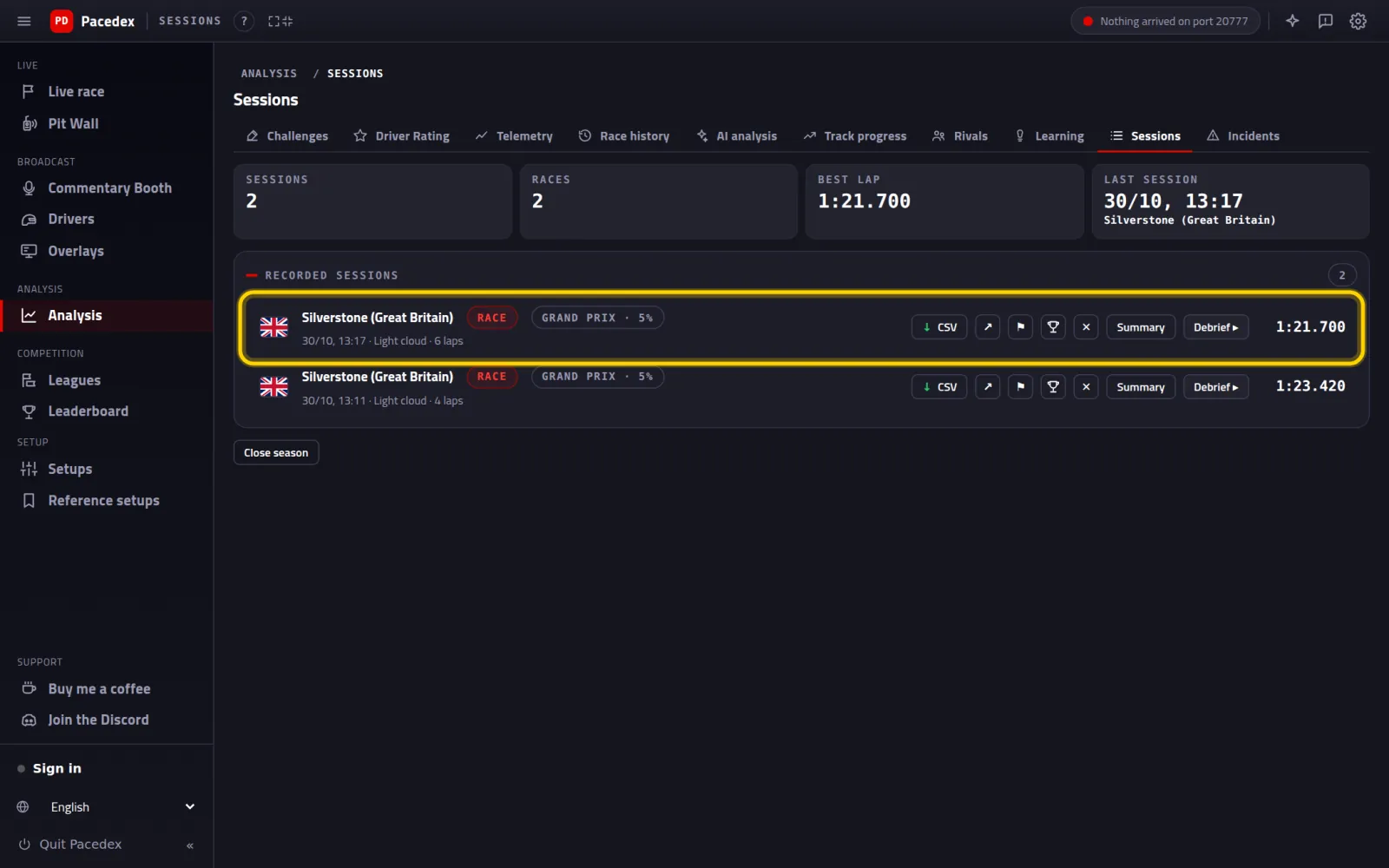
That race's Debrief opens. To get back to the list, click ← History.
Dig deeper: pace and corner by corner
Inside Analysis, a row of tabs switches screens without going back. Two of them are gold after a race.
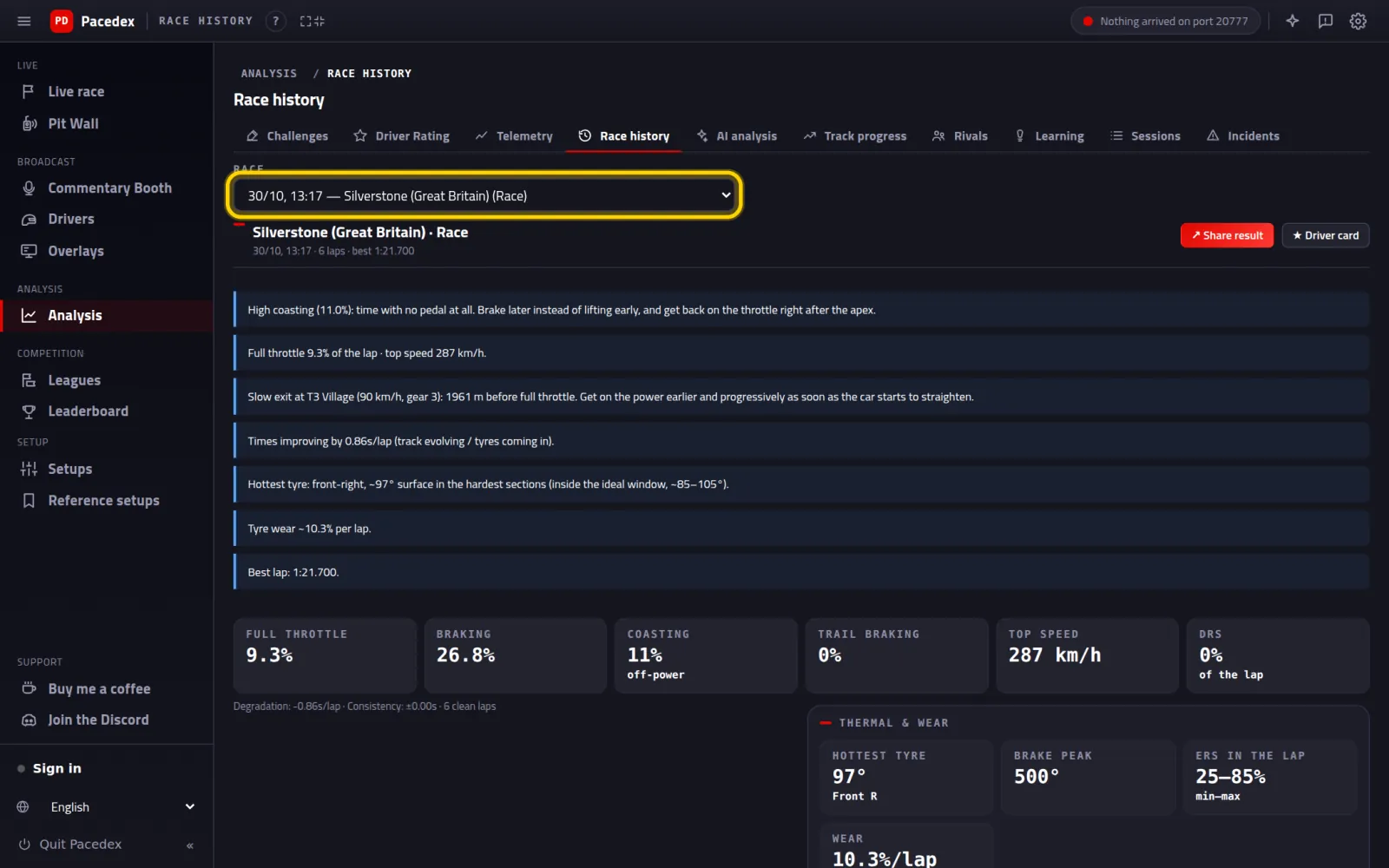
Click the Race history tab and pick the race
This is the full race report: the tips, how much of the lap you spent on the throttle and on the brakes, tyres and wear, the corner-by-corner analysis and the strategy.
Click the Rivals tab and scroll down to Corner by corner against the fastest
Your best lap against the 5 best times on the Pacedex leaderboard at that track. For each corner: how much time is left and why — you brake earlier, or carry less speed at the apex or on exit.
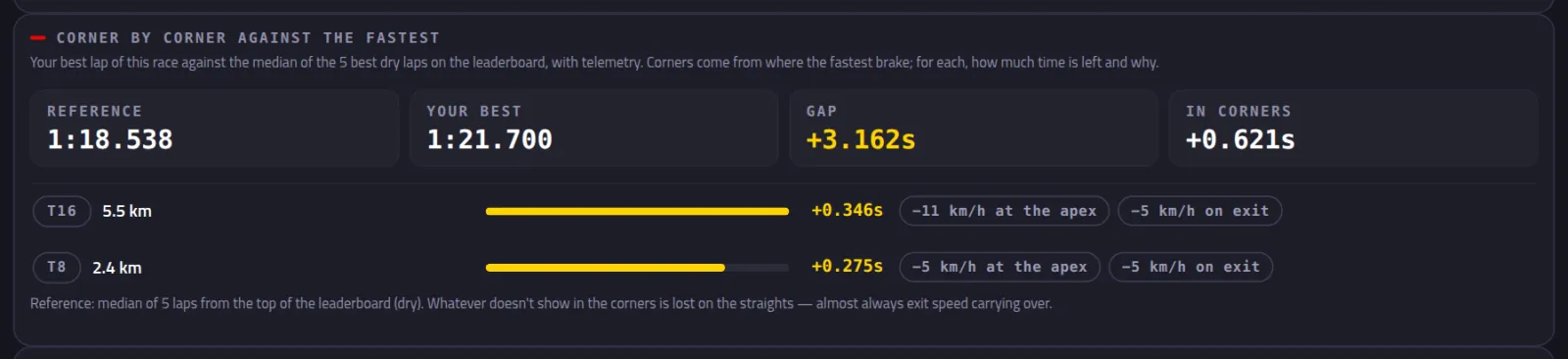
Start with the corner at the top of the list: that's where most of the time is.
What to change on the setup
The Debrief's Setup vs Driving tells you IF the car is the problem. This screen tells you WHAT to change.
In the menu, under Setup, click Reference setups
At the top: Setup diagnosis from your telemetry. Pick the race under Race.
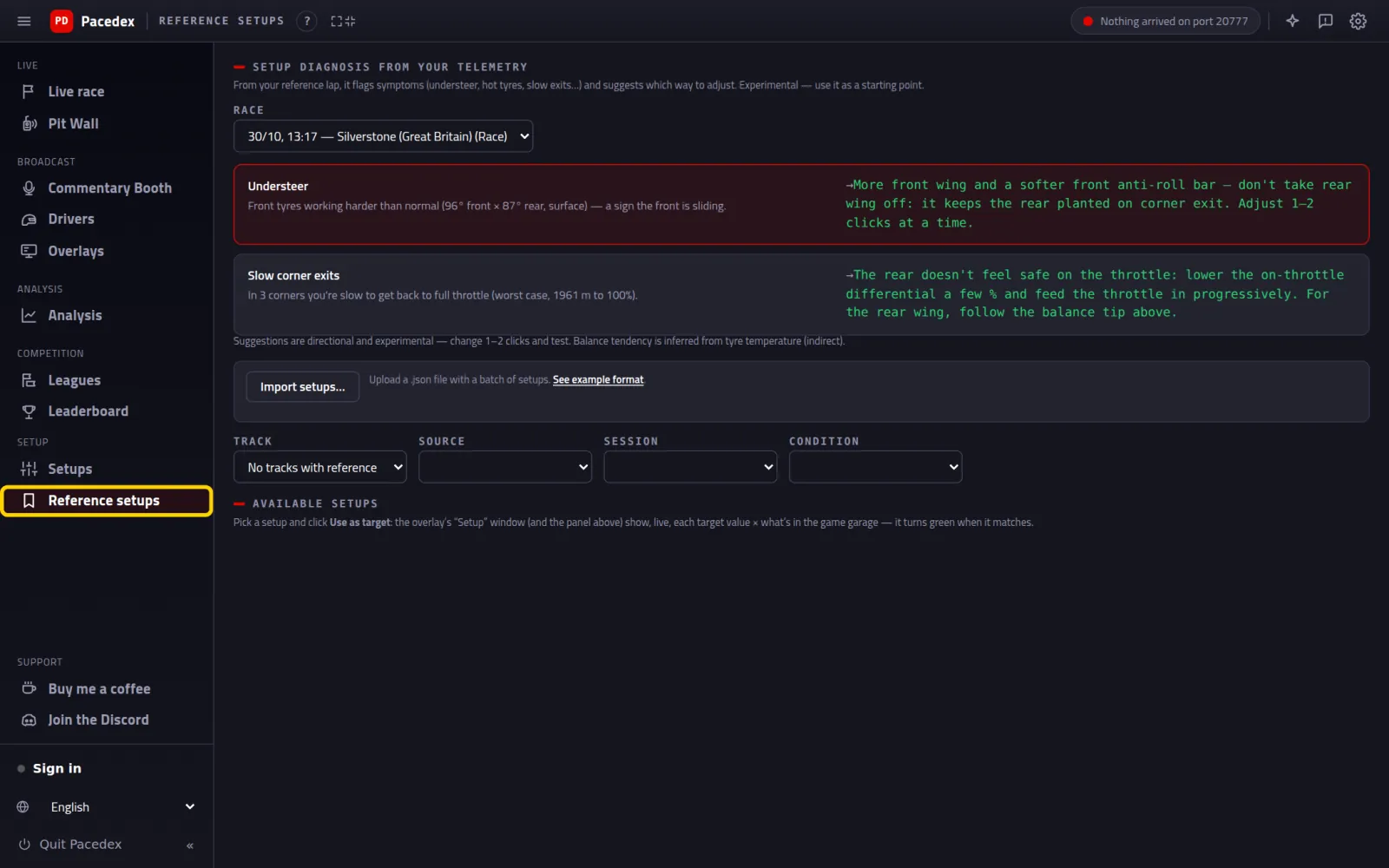
Each row is a symptom (understeer, hot tyres, slow exits…) with the direction to adjust next to it.
At the end of the Debrief, click Share

Click Download image (or Copy and paste it in the group)
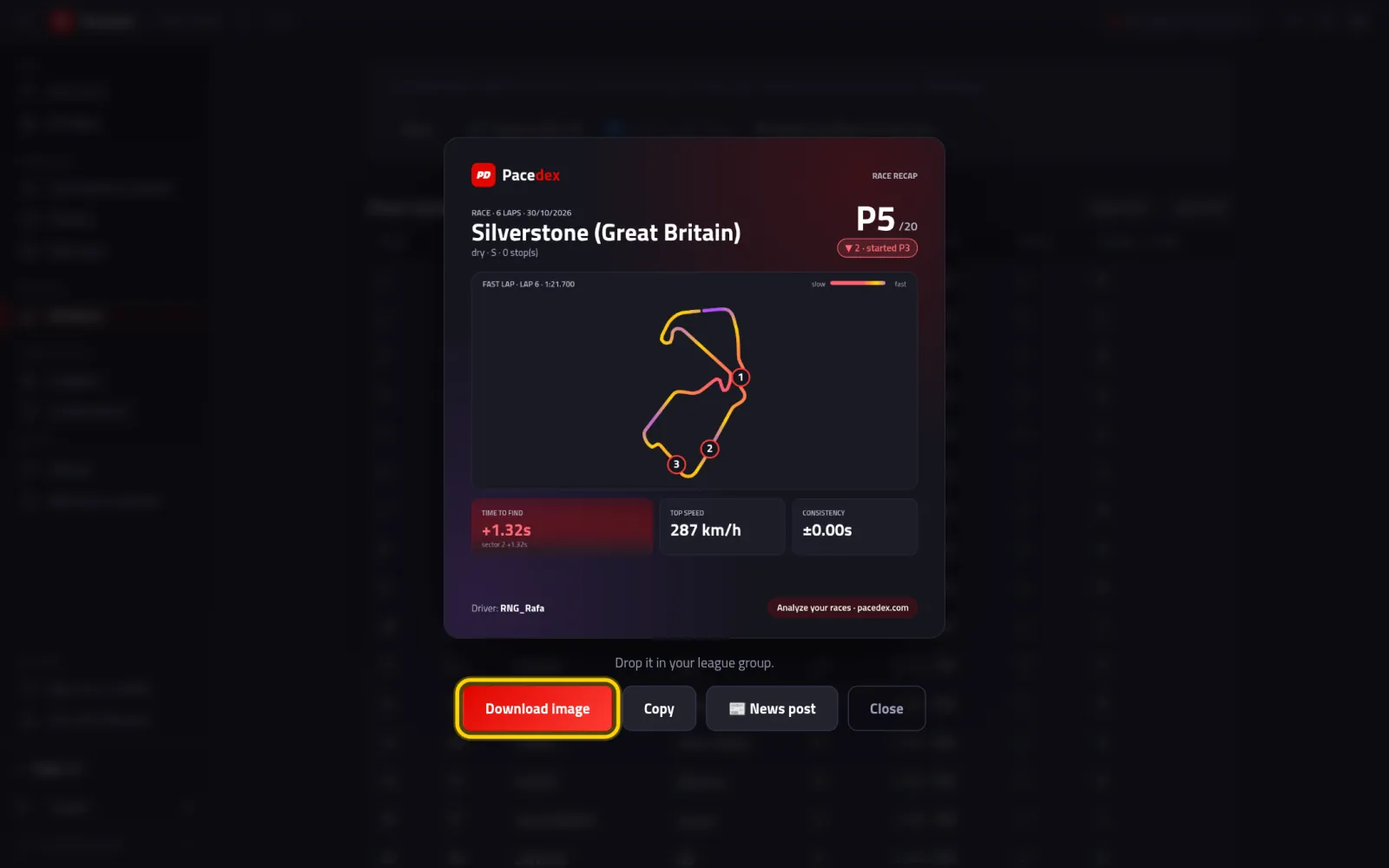
A card with the track, your position, the fastest lap and the time still to find. 📰 News post writes a race report you can post.
Want a link? Click 🔗 Create public link
Leave with my gamertag ticked to show your name. Untick it to stay anonymous.

Click Copy link and send it to anyone

The link opens your Debrief at pacedex.com/d/…, on any phone, nothing to install.
Something went wrong?
- No Race finished! notice: it only shows up when the race reaches the flag with the dashboard open. Open it via Part 3: Analysis → Sessions.
- No Debrief for this race: Pacedex tells you why right below. Most often: fewer than 3 timed laps of your own, or telemetry stopped before the end. Qualifying and time trial have no Debrief — only races (sprints included) and practice.
- The race isn't in the list: a race abandoned early goes into the Attempts group at the end of the list. A race you watched as a spectator goes to a separate history: the notice at the top of the list takes you there.
- The Homework says it's your first time: in practice, the comparison is against your own previous best lap at that track. Run it once more and it starts comparing.
- Corner by corner is empty: it needs internet the first time at each track (to download the leaderboard laps), and at least 3 dry laps with telemetry on that track's leaderboard. A track few people race may not have them yet.
- Create public link failed: check your connection and try again. The card (Download image) works offline.
Still stuck? Drop a screenshot in our Discord and we'll help. At the end of the Debrief, ⚑ Report a problem in this race sends the race over for us to look at.
What to learn next
Every race teaches you something
Free, on your PC, for F1 24, F1 25 and the 2026 Season Pack.
Free download · Windows →