 Pace


Where am I losing time in F1 25?
Your sector is yellow and you're four tenths off. The game tells you how much. It never tells you which corner, or why. Pacedex does: the corner, the time it costs, and the cause in numbers.
The sector times tell you how much. Not where.
A sector has five, six, seven corners. Losing three tenths there could be one braking point fifteen metres early, an apex ten km/h too slow, or a lazy throttle on the exit that costs you all the way down the next straight. Driving the lap again and hoping isn't a method. Comparing laps metre by metre is.
Pacedex reads the telemetry the game already sends and answers the question in three moments: while you drive, right after the race, and against the fastest drivers in the world.
Feel it on the next corner, not the next day
The Delta window sits over the game: just the lap delta, big, with a ±1 s bar — against your best lap, or against your last one when you're working on consistency. On the dash (overlay or phone), a braking chip lights up after each braking zone and tells you, in metres, whether you braked earlier or later than on your best lap.
When the flag falls, the voice race engineer reads out your braking habit if there's one — the zone where you keep overshooting or braking early, and in how many laps.
The Debrief points at the corners. The telemetry shows why.
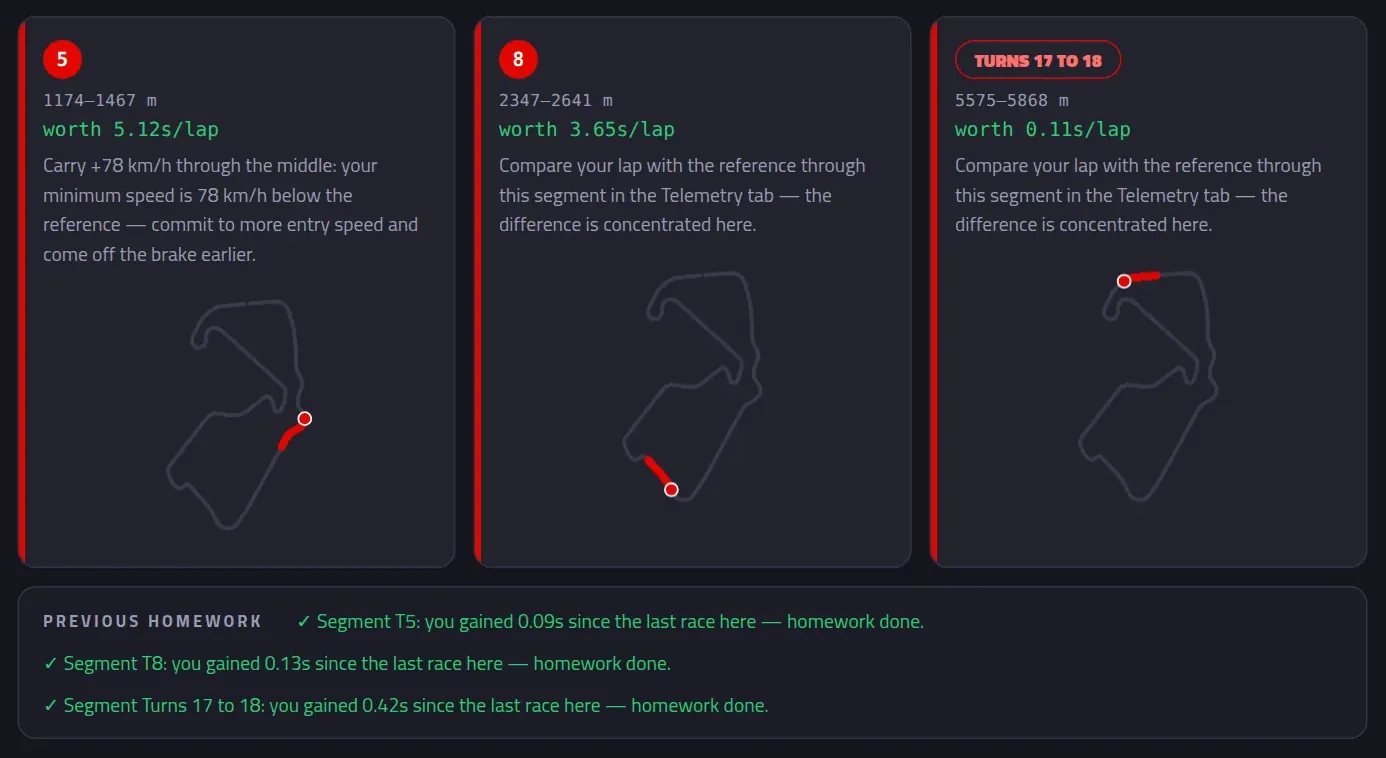
At the chequered flag Pacedex writes your Debrief. Its Homework lists the parts of the track where you lose the most, what each is worth per lap and what to do about it — and the next time you race that track, it checks whether you fixed it. In a race the reference is the fastest car out there; in practice it's your own best lap at the track.
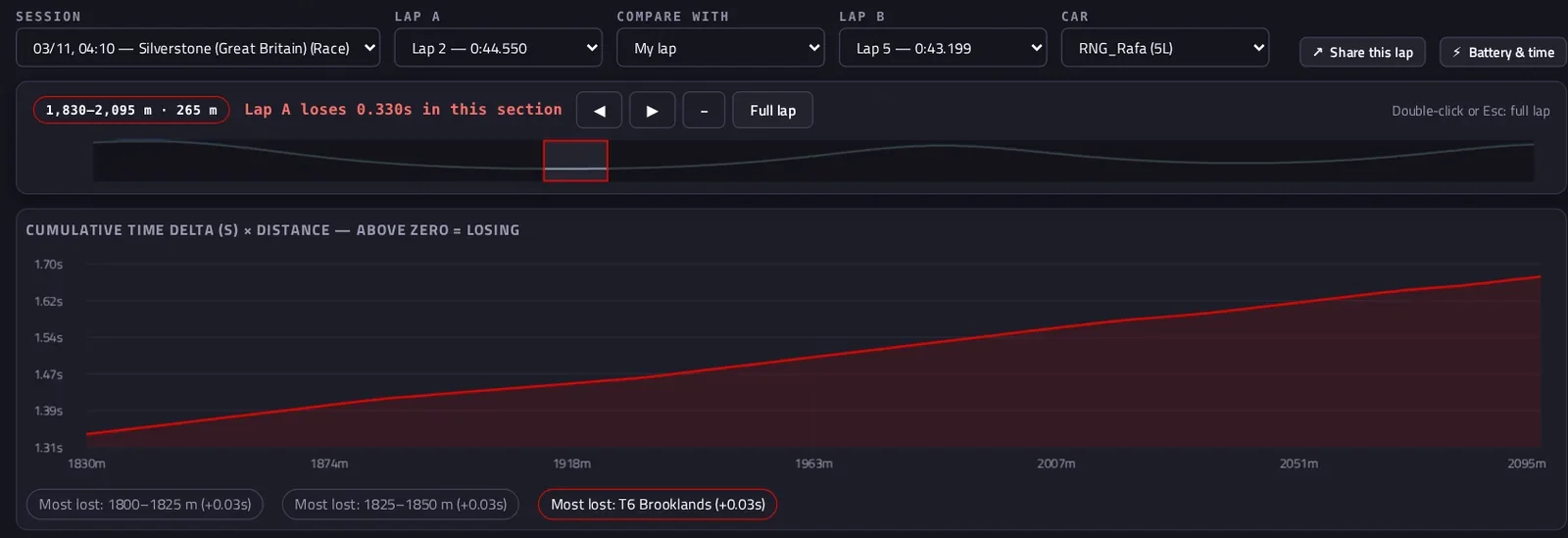
Then open Analysis → Telemetry. Pick lap A and lap B and you get the cumulative time delta over the lap distance, speed, throttle and brake, and gear — overlaid. The delta climbs exactly where the time goes, and the corner where you lose most is one click away. You can lay a rival's lap from the same race over yours, too. Drag across any chart to zoom into a section and the bar says how much lap A gains or loses right there.
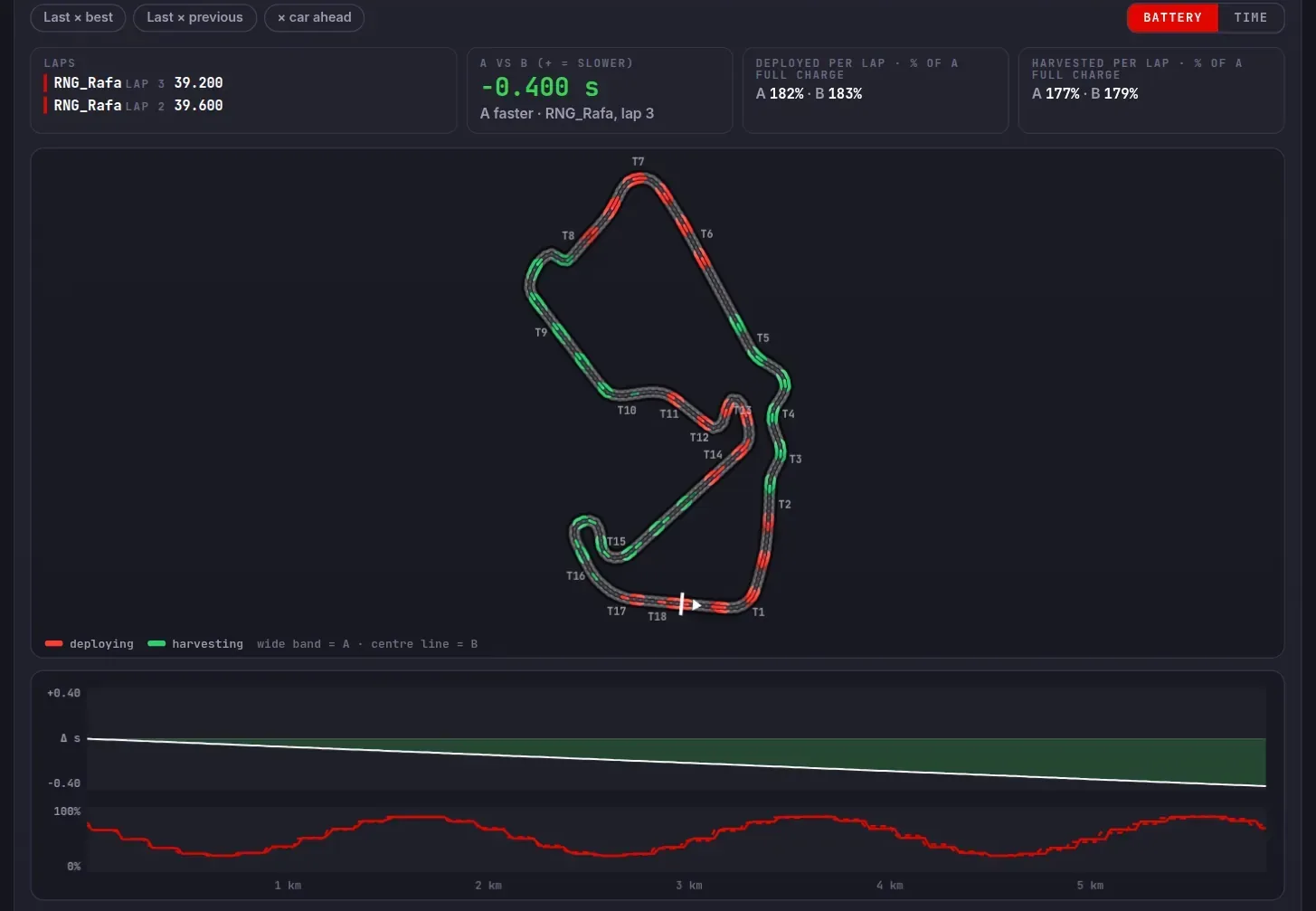
Racing under the 2026 rules? Battery & time (in the same Telemetry screen) compares any two completed laps from any car in the session and draws on the map where each one deploys and harvests the battery — and where the time is gained or lost, corner by corner. Sometimes the "slow corner" is really an empty battery on the straight after it.
Where the fast drivers beat you — and how
Your own best lap only takes you so far. In Analysis → Rivals, Corner by corner against the fastest puts your best lap of the race against the median of the 5 best dry laps on the Pacedex leaderboard at that track. The corners come from where the fast drivers brake. Each one gets the time you leave there and the cause, in numbers:
You brake earlier — or later — than they do, in metres.
brakes 14 m earlierYou carry less speed through the slowest point of the corner.
−11 km/h at the apexYou come out slower, and pay for it down the whole straight.
−5 km/h on exit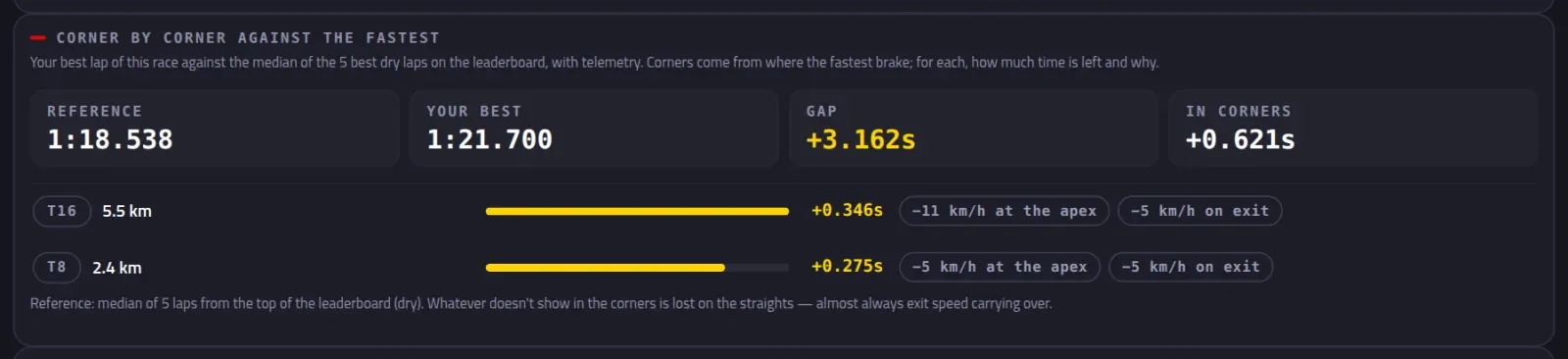
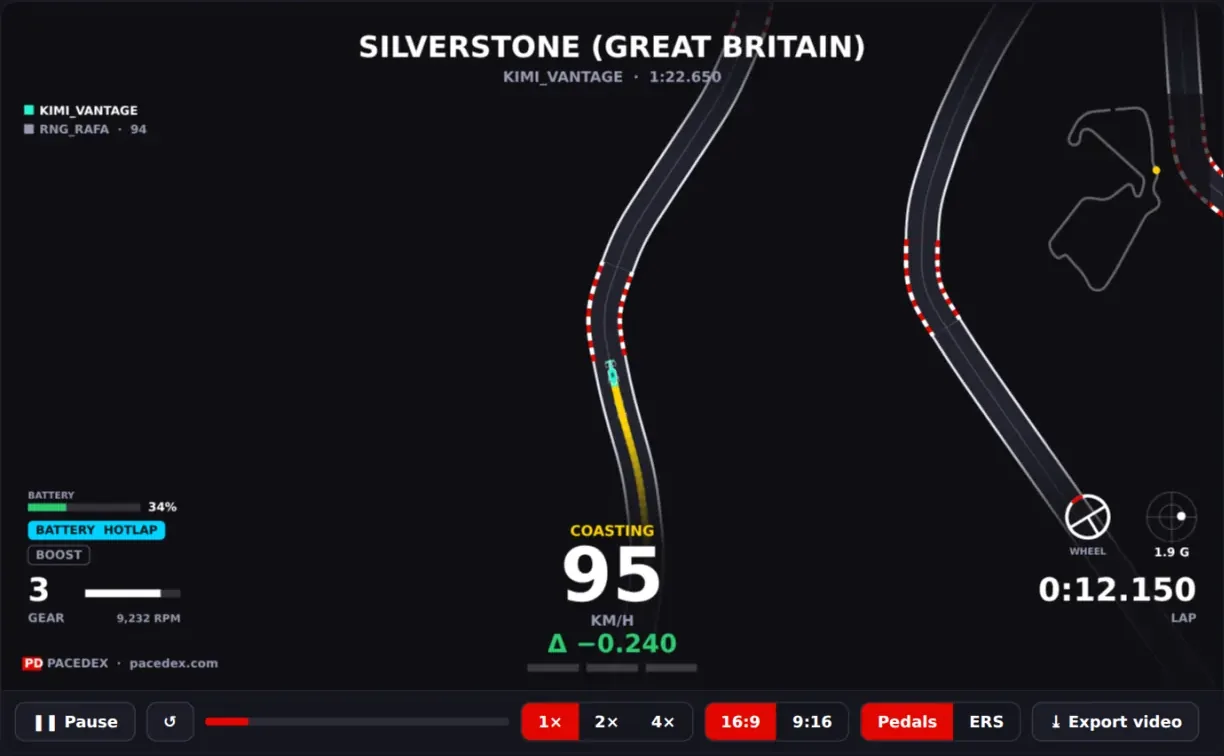
Want to see it with your own eyes? On the world leaderboard every lap carries its telemetry. Click anyone faster and their lap is laid over yours — delta, speed, pedals, gear — then hit ▶ Lap replay: both cars on track together, the gap opening and closing live, corner names lighting up as they go through. Found a friend who's quicker? Send a Lap Challenge link and race the same lap.
Find your slowest corner in four steps
Install and switch the telemetry on
Install Pacedex, then in the game turn UDP Telemetry on. How to enable it →
Drive at least 3 laps
A race or a practice session, with Pacedex open. Every lap is saved on your PC with its telemetry.
Open the Debrief and pick the first homework
The part of the track worth the most per lap. One at a time.
Zoom into that corner — then check it against the fastest
Analysis → Telemetry shows what your laps do differently there; Analysis → Rivals shows what the fastest do. Fix one thing, race again: the next Debrief tells you if it worked.
Frequently asked
Is it free?
Yes. Pacedex is free: the lap comparison, the Debrief, corner by corner against the fastest and the world leaderboard cost nothing.
Does it work on PlayStation or Xbox?
Yes, with the Android app: the console sends the game's telemetry over Wi-Fi straight to your phone or tablet, and the Debrief opens there after the race. On PC, the Windows app does it all.
Do I need an account?
No. Comparing laps and the Debrief run on your own device. For the world leaderboard, Pacedex creates an anonymous account by itself; signing in with e-mail is optional and only moves your spot to another PC. Corner by corner against the fastest needs internet the first time at each track, to download the leaderboard laps.
Does my lap become public?
Only your best valid lap per session goes to the public leaderboard, with its trace, under your in-game gamertag — never your e-mail. It's on by default; switch off Share best-lap telemetry in Settings → Account & privacy and your laps and traces leave the cloud. Your races, the Debrief and the comparisons stay on your device.
Which games?
F1 24, F1 25 and the F1 25: 2026 Season Pack, through the telemetry the game itself sends (UDP Telemetry on in the game settings).
Find the corner. Then fix it.
Free · Windows · no account. Lap comparison, the Debrief and corner by corner against the fastest for F1 24, F1 25 and the 2026 Season Pack.
Download free · Windows →Screenshots are from the real app, with fictional gamertags. The sector board at the top is an illustration.