 Pace


Control Pacedex without taking your hands off the wheel
Hide an overlay window, mute the engineer, ask when to pit, flag an incident. All on one button: on your wheel, a Stream Deck, the keyboard or the game itself. Without leaving the game. Takes about 5 minutes. In the screenshots, the yellow outline shows where to click.
- Pacedex installed and running on your PC. Not yet? Do the first race first.
- A spare button: on your wheel, a Stream Deck or macro pad, the keyboard or a controller.
- Playing on console? That works too. See Part 5.
Open the shortcuts
Every shortcut lives on one screen.
Click the gear (Settings), then the Shortcuts card
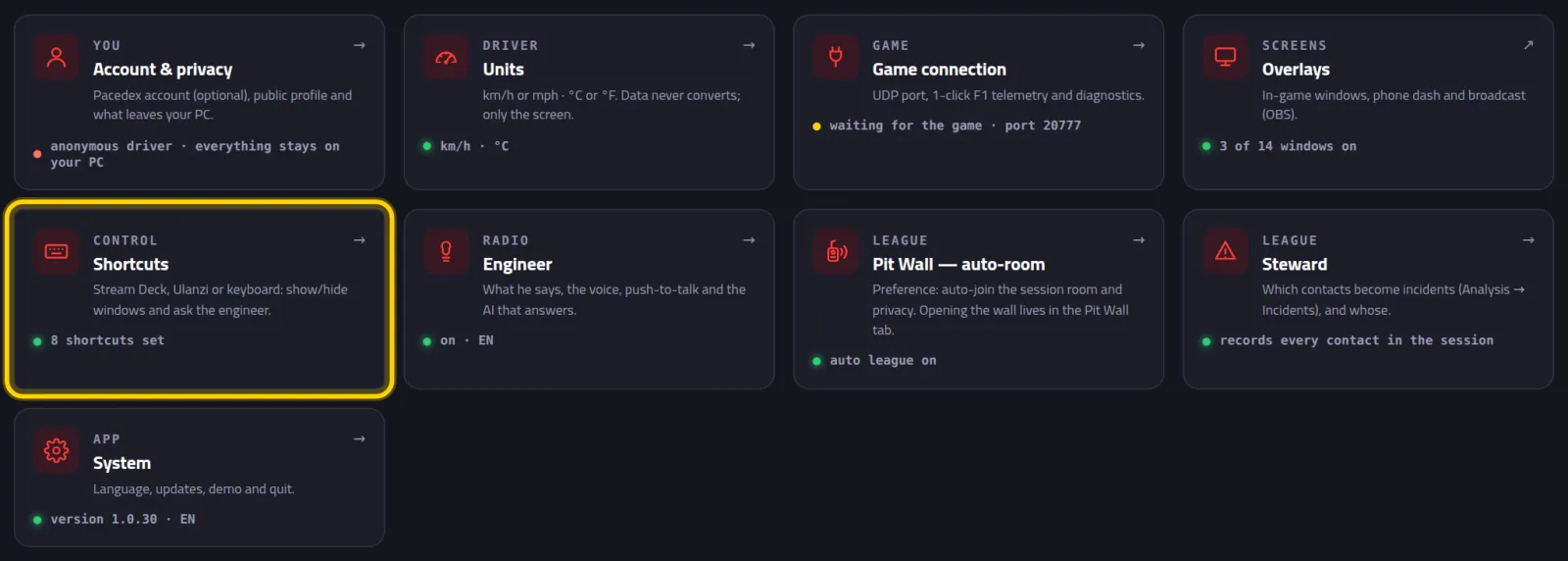
The card tells you how many are ready: 8 shortcuts set. Those are the factory ones, F13 to F20.
Make sure Enable keyboard shortcuts is switched on
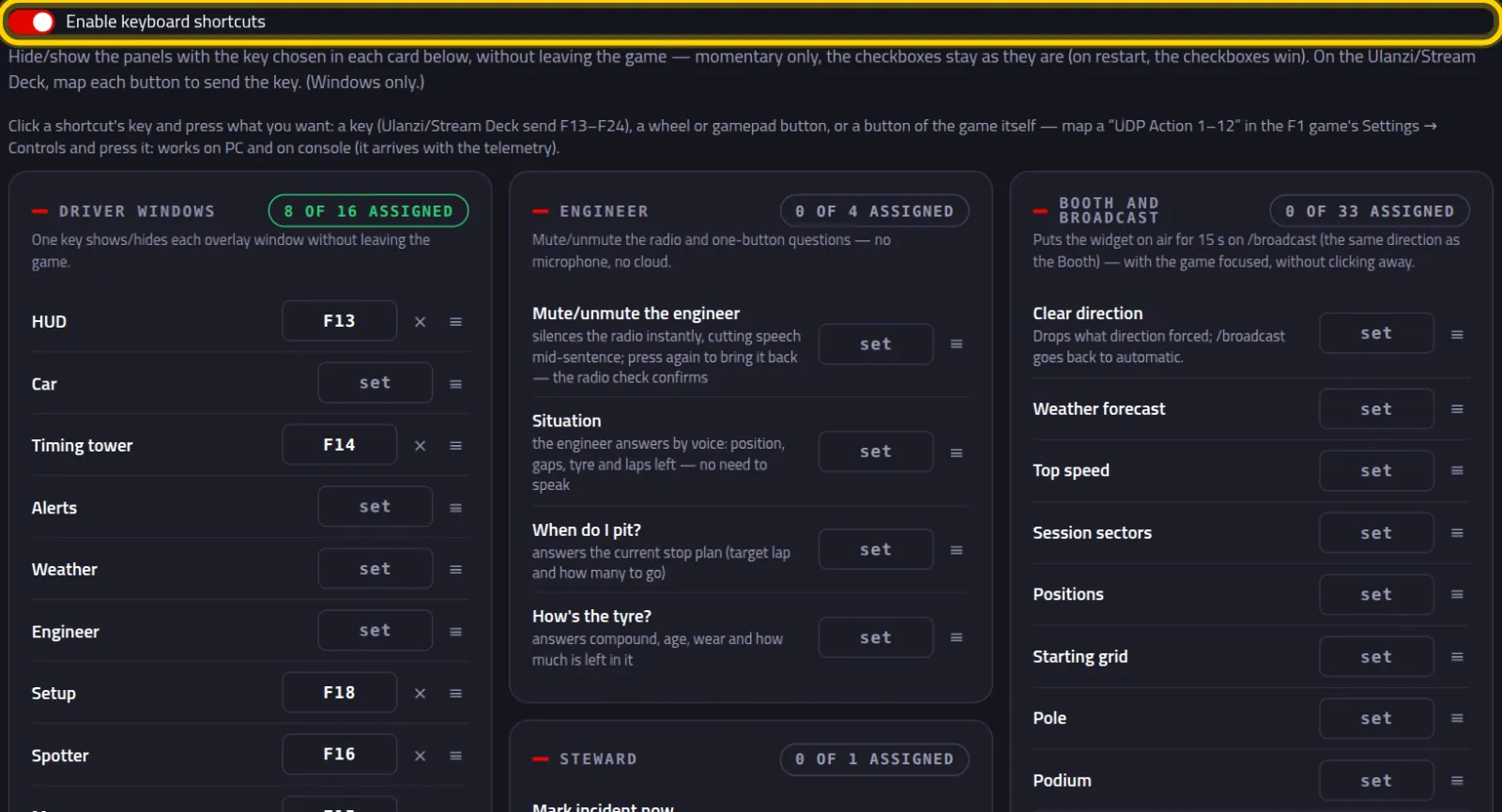
The shortcuts come in cards: Driver windows, Engineer, Steward, Driver overlay tower · columns and Booth and broadcast. Each row has its own key.
Despite the name, the switch covers everything: keys, wheel buttons and game buttons.
Put a shortcut on a button
Example: mute the engineer with a wheel button.
On the Engineer card, click set on the Mute/unmute the engineer row
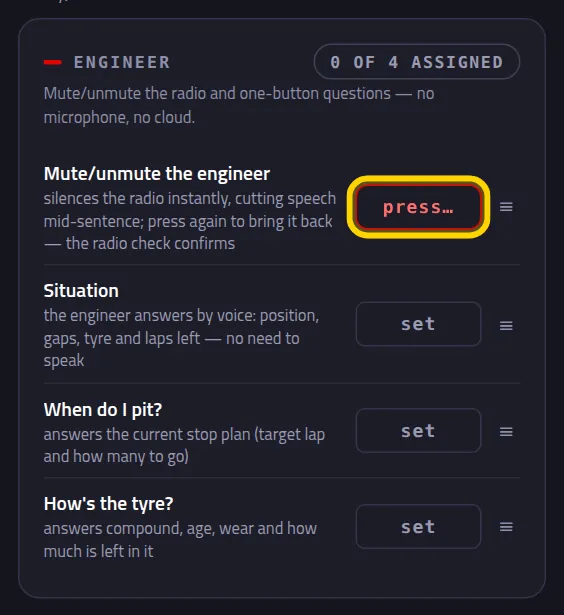
The button turns into press… and pulses red.
Press the wheel button you want to use
You've got 8 seconds. Anything goes: a key, a wheel or controller button, the side buttons on your mouse, or a game button (Part 5).
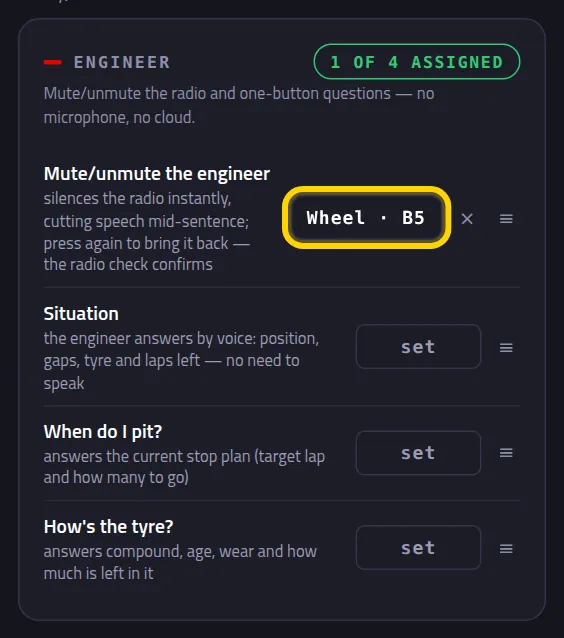
The button's name in place of set, for example Wheel · B5. The card's counter goes up: 1 of 4 assigned.
Try it on track: press the button
The engineer goes quiet instantly, even mid-sentence. Press it again and he's back with a radio check.
No need to click out of the game: the shortcut works with the game in front.
What's worth putting on a button
Setting it up is always the same as Part 2. Just pick the card and the row.
Show and hide the overlay windows
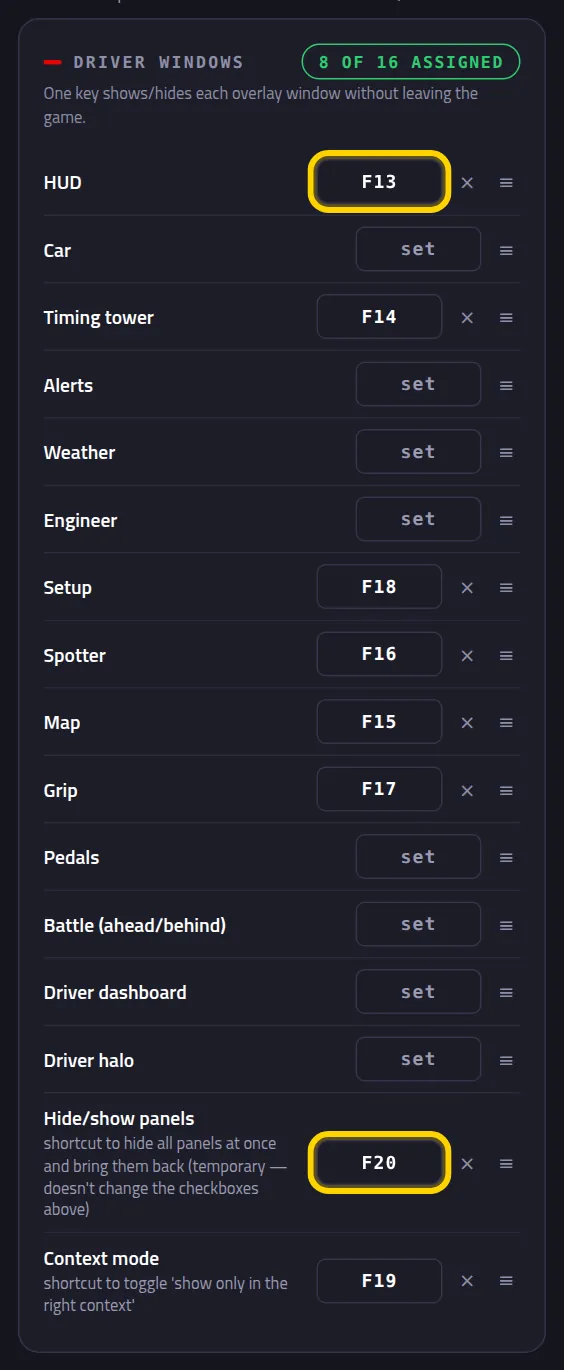
On the Driver windows card, one key per window. Out of the box: HUD on F13, Timing tower on F14, Map on F15, Spotter on F16, Grip on F17 and Setup on F18. Hide/show panels (F20) clears the whole screen in one go.
Toggle a tower column
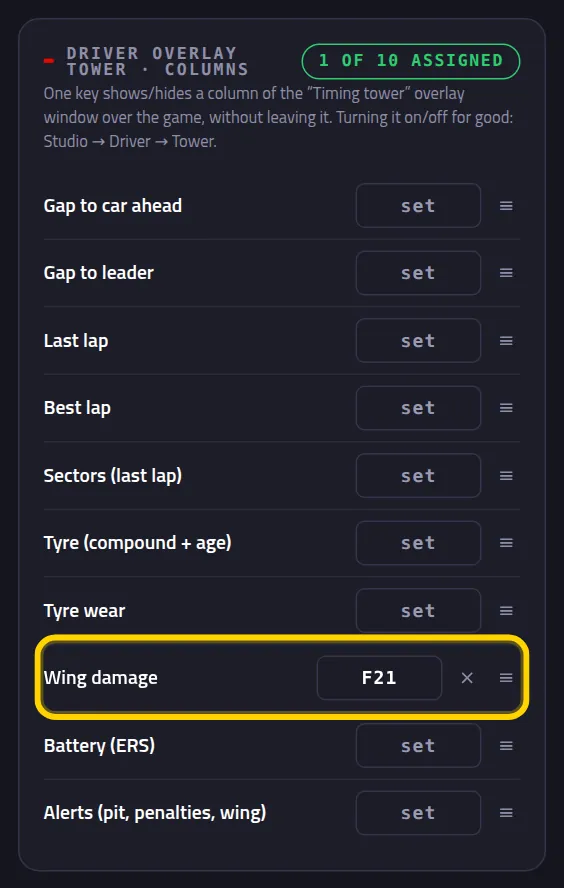
On the Driver overlay tower · columns card, a key shows or hides one column of the tower over the game. Example: Wing damage on F21.
Ask the engineer without a microphone
On the Engineer card: Situation, When do I pit? and How's the tyre?. Press and he answers by voice right away. No microphone and no internet.
Rather ask out loud? See the voice engineer.
Flag an incident for the stewards
On the Steward card, Mark incident now saves the last 12 seconds of your car and the closest one. You'll find it later under Analysis → Incidents. Stewarding tutorial →
Commentating a league? Put the booth on buttons
The Booth and broadcast card has every button from the booth: battle, pit stop, fastest lap, podium… and Clear direction. So you can direct the broadcast without switching away from the game. Booth tutorial →
Stream Deck and macro pads
Each button on the deck sends a key. Use F13 to F24: a normal keyboard doesn't have them, and the game uses none of them.
In the deck's software, make each button send a key
Pick the keyboard shortcut action (on a Stream Deck, Hotkey) and the F13 key. Next button, F14. And so on.
Done. The 8 factory shortcuts already work: F13 to F20 do what the diagram shows.
For any other shortcut, click set and press the deck button
Same as Part 2. The deck sends the key and Pacedex stores it.
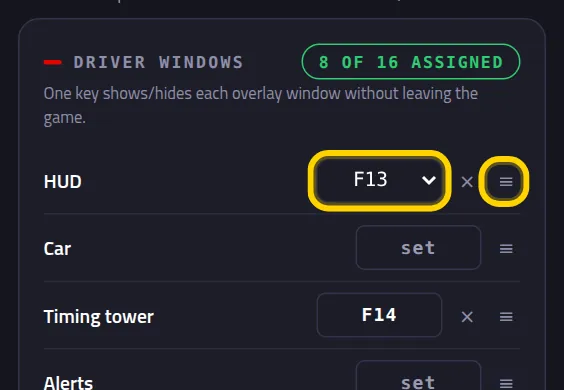
Rather pick from a list? Click the ≡
The ≡ next to the key opens the list: F1 to F24 and NUM0 to NUM9. Pick one and you're done.
On console (PlayStation or Xbox)
The game has 12 special buttons, the UDP Actions. It does nothing with them itself: it just tells Pacedex through the telemetry. That's why they work on console.
In F1, under Settings → Controls, map a UDP Action to a spare button
Edit your controls preset and look for UDP Action 1 to 12. Choose a button you don't use for driving.
Diagram of the game menu — not a screenshotGo out on track. In Pacedex, click set and press that button
The game only sends the button while telemetry is flowing. So do it with the car on track.
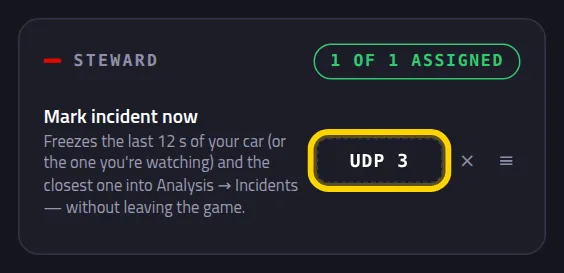
UDP 3 on the key, with a dashed border. Dashed means: a game button.
Change, remove and duplicate buttons
To change one, click the current key and press the new button. For the rest:
A duplicate button turns red
If the same button is on two shortcuts, both rows light up red. Pressing it does both things.
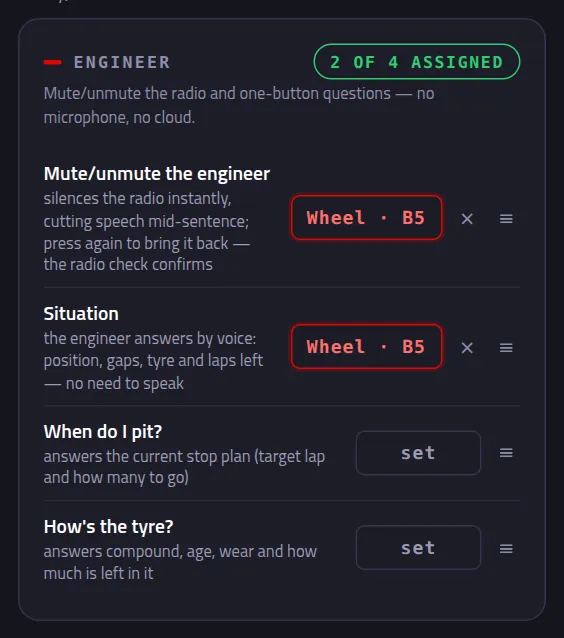
Keyboard keys can't clash: give F13 to another shortcut and it leaves the old one on its own.
To remove one, click the × next to the key
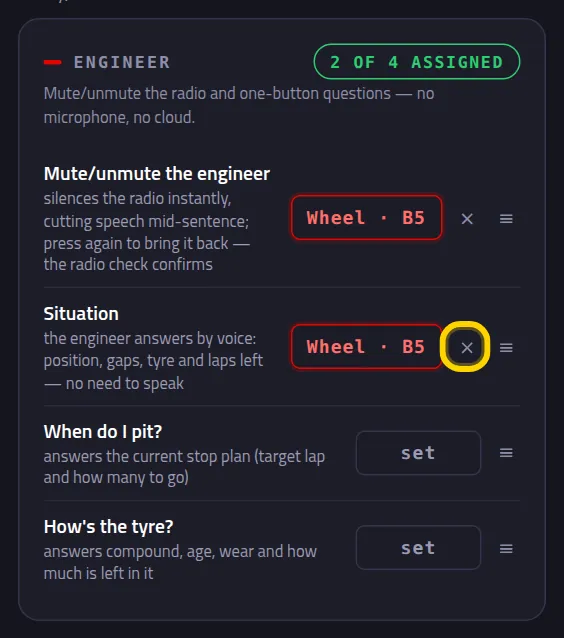
Done: the row is back to set
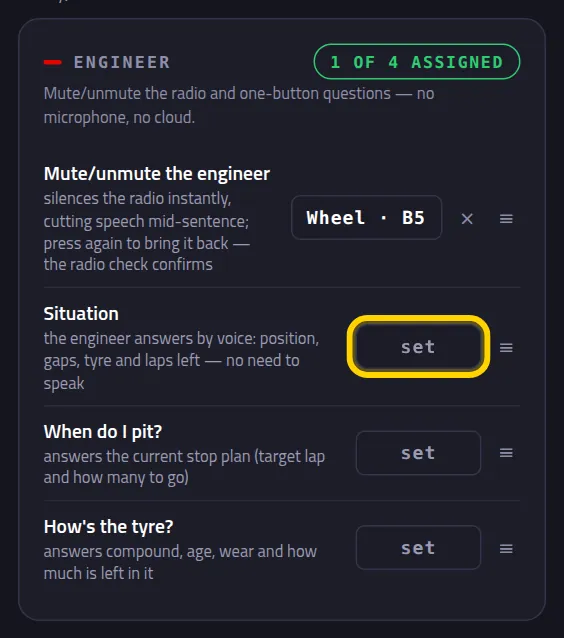
Nothing red any more. The counter is back to 1 of 4 assigned.
Something went wrong?
- I press it in game and nothing happens: Pacedex has to be running (the icon next to the Windows clock). The overlay window is what listens for the buttons, and it opens along with Pacedex. Also check the Enable keyboard shortcuts switch (Part 1).
- The game runs as administrator: Windows may hide its keys from a normal program. Run Pacedex the same way, or untick "run as administrator" on the game.
- “nothing pressed” with the wheel: some wheels have buttons Windows doesn't show. Use a UDP Action (Part 5), which works with any wheel. Or, in your wheel maker's software, make the button send F13.
- The button also does something in the game: both things happen. Pick a button that's free in the game, or use F13 to F24. The game uses F1 to F12 (camera and more).
- The hidden window came back: the shortcut is only for now. When you reopen Pacedex, the Studio settings apply.
- The button question gets no answer: the engineer has to be on. Check Settings → Engineer.
Still stuck? Drop a screenshot in our Discord and we'll help.
What to learn next
Everything on one button
Free, on your PC, for F1 24, F1 25 and the 2026 Season Pack.
Free download · Windows →